




One of the things I love most about ServiceNow is its commitment to frequent updates and improvements to functionality across its wide range of products. The Brazil release has plenty to offer across the board, including HR Service Delivery (HRSD).
I’ve explored the latest HR applications and features, alongside enhancements to existing features introduced with this release. Feel free to install, upgrade, and test them as you work through the topics covered below.
What’s New and Enhanced in Brazil?
Brazil is the second release to be named after a country (following Australia), preceded by 26 ‘city’ releases, which moved through the alphabet from Aspen all the way to Zurich. For me, Brazil is the most exciting one of all!
I’ve been involved in more than 20 platform upgrades over the past decade, since I started my ServiceNow journey with the Geneva release, and I’ve seen how the platform has evolved through different lenses. The Brazil release has a lot to offer, and as expected, most of it is around AI innovations.
It’s been a while since ServiceNow called itself an AI platform, and since then it has invested heavily in embedding AI into every part of the platform to stay ahead of the competition. Without a doubt, Brazil is the most AI-flavored release so far, with its footprint across all major products.
While many new capabilities and brand-new products are introduced via ServiceNow Store, ServiceNow still bundles them up into its release notes, some for compatibility purposes and others for the timing of their introduction that fell after the previous family release.
I’ve always found it exciting to read the release notes, upgrade my personal developer instance (PDI), and explore the new features and functionality. Although not all applications can be installed in your PDI, especially the AI token-based ones, it still allows you to update most of the existing ones and install some of the new apps to explore and test.
Brazil has introduced a full set of new capabilities to streamline the processes and improve employee, manager, agent, and admin experience. These range from AI-powered activity responses that can be used to quickly create, review, and adjust HR case comments and work notes, to e-signature capability that allows employees to sign documents securely and keep track of them, and HR Implementation agents that help admins with HR deployments using an AI experience.
1. EmployeeWorks Web App
EmployeeWorks is the new AI front door for employees, integrated with a wide range of AI innovations that have shifted the whole user experience, including the way users search, access, and interact.
EmployeeWorks Web App (previously known as Employee Slate) provides an AI-based and conversation-first experience for employees using Moveworks’ enhanced AI capabilities and solutions. It offers personalized, context-aware, specialized assistants that answer your questions and support your needs based on your role, location, and other defined signals.
The EmployeeWorks Web App in the new release has a redesigned interface for some of the task types that allow for AI chat help. These task types include:
- URL
- Approval
- Checklist
- View video
- E-signature
- Upload documents
- Schedule a meeting
- Mark When Complete
EmployeeWorks Web App is transforming employee interactions by providing a unified experience across all connected systems, with a central place to get what employees want, from interacting with different platforms and filling out forms to finding instant resolutions and taking action.
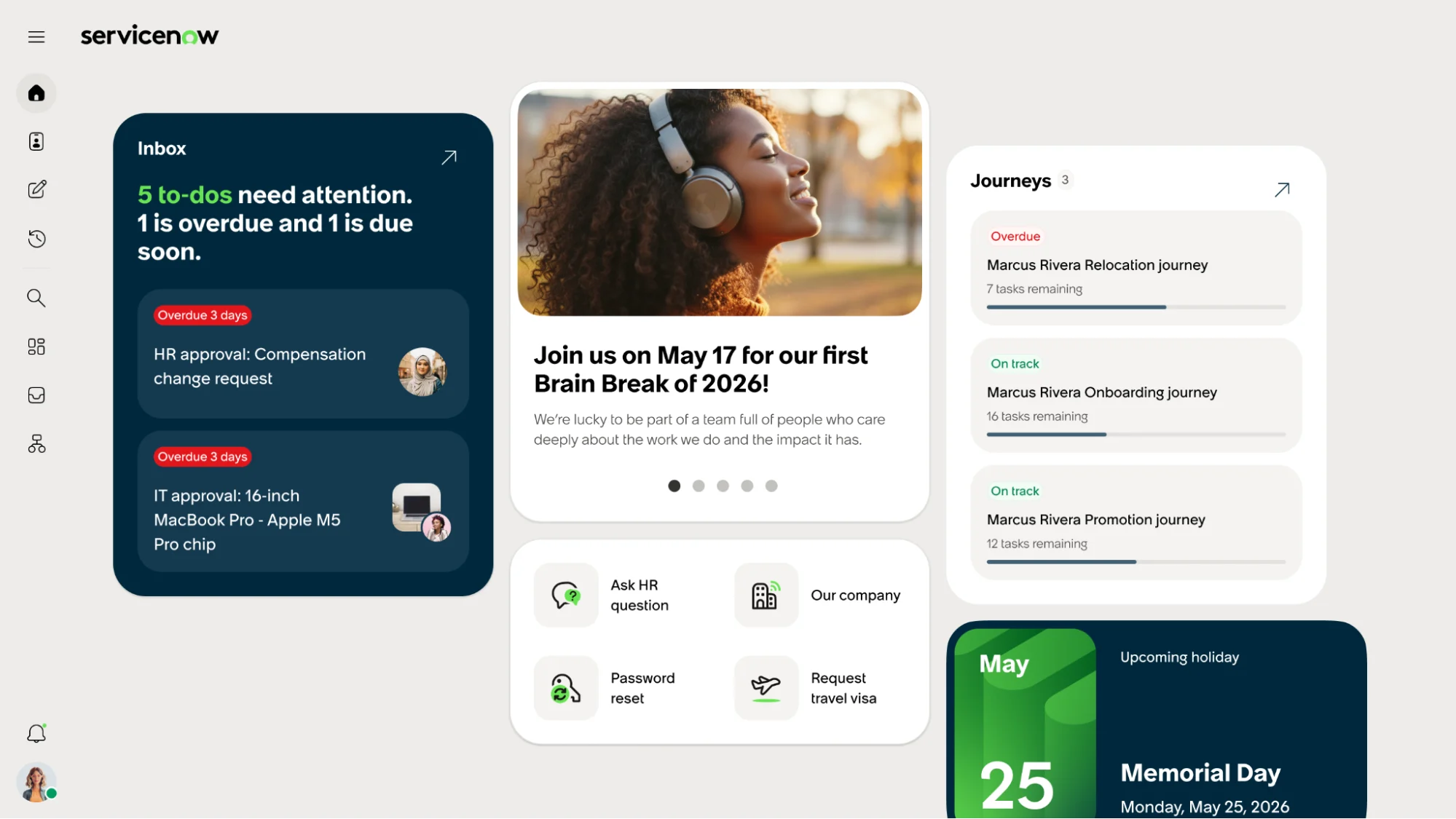
Source: ServiceNow Docs
2. Case and Knowledge Management for EmployeeWorks and Employee Slate
This application brings HR case tasks, related approvals, and delegations into EmployeeWorks, allowing employees to access and complete their tasks easily with the help of AI insights and ServiceNow Otto. Employees get an AI summary of each task and interact with Otto, which can read the HR task on the screen, to get answers or help as needed.
With this application, employees can upload and sign documents, or work through their checklist with a consistent experience straight in EmployeeWorks.
3. Employee Journeys for EmployeeWorks and Employee Slate
This new application brings Employee Journey experiences into the new EmployeeWorks portal for employees and managers. It helps companies boost employee engagement and simplify employee lifecycle experiences on a modern AI-native portal.
- Employees can access the Employee Slate to browse and view details of their active journeys, track their progress, and complete their journey-related tasks.
- Managers will have clear visibility into their team’s journeys to support employees as needed.
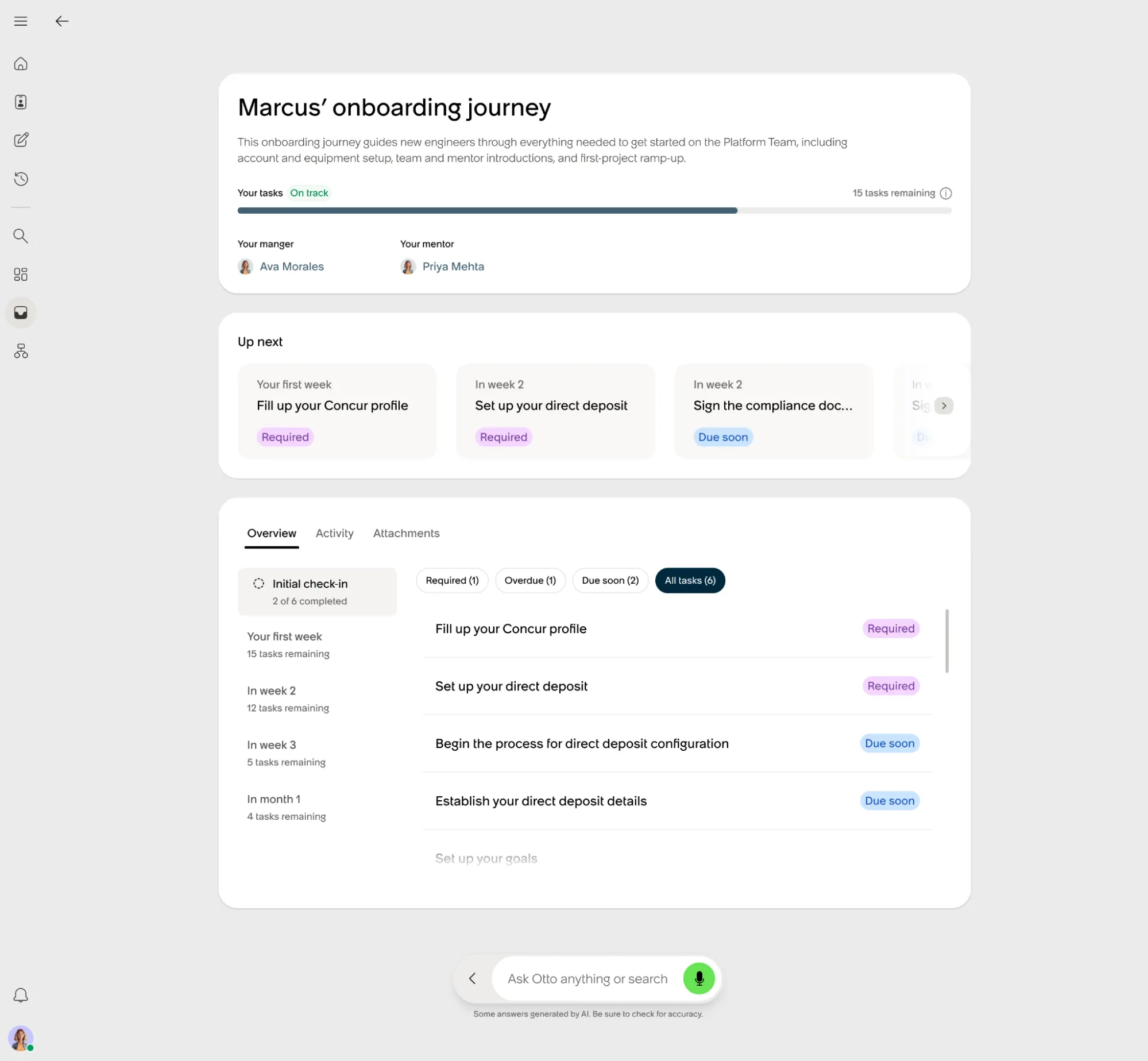
Source: ServiceNow Docs
4. E-Signature for EmployeeWorks and Employee Slate
With this new application, the HR E-signature task can now be embedded in ServiceNow EmployeeWorks, allowing employees to review and sign assigned documents by typing or drawing their signature. The upside is that the document is automatically saved to their record, moving the HR process forward.
This application is designed to speed up turnaround times for document sign-offs, such as offer letters and policy agreements, while keeping the employee experience seamless.
5. Agent Workspace for HR Case Management
This workspace is receiving frequent improvements. Some of the latest enhancements are:
- Agents can use the At a Glance panel on a case to send emails to an employee’s manager, without extra HR profile permission.
- The HR Service list always shows the relevant services when creating a child case, even if from a parent with different Opened For and Subject Person values.
- Agents can select the COE or the Subject Person first and still see the Capability-based HR Services.
- HR Agent Workspace home page now shows the AI agent worker configuration.
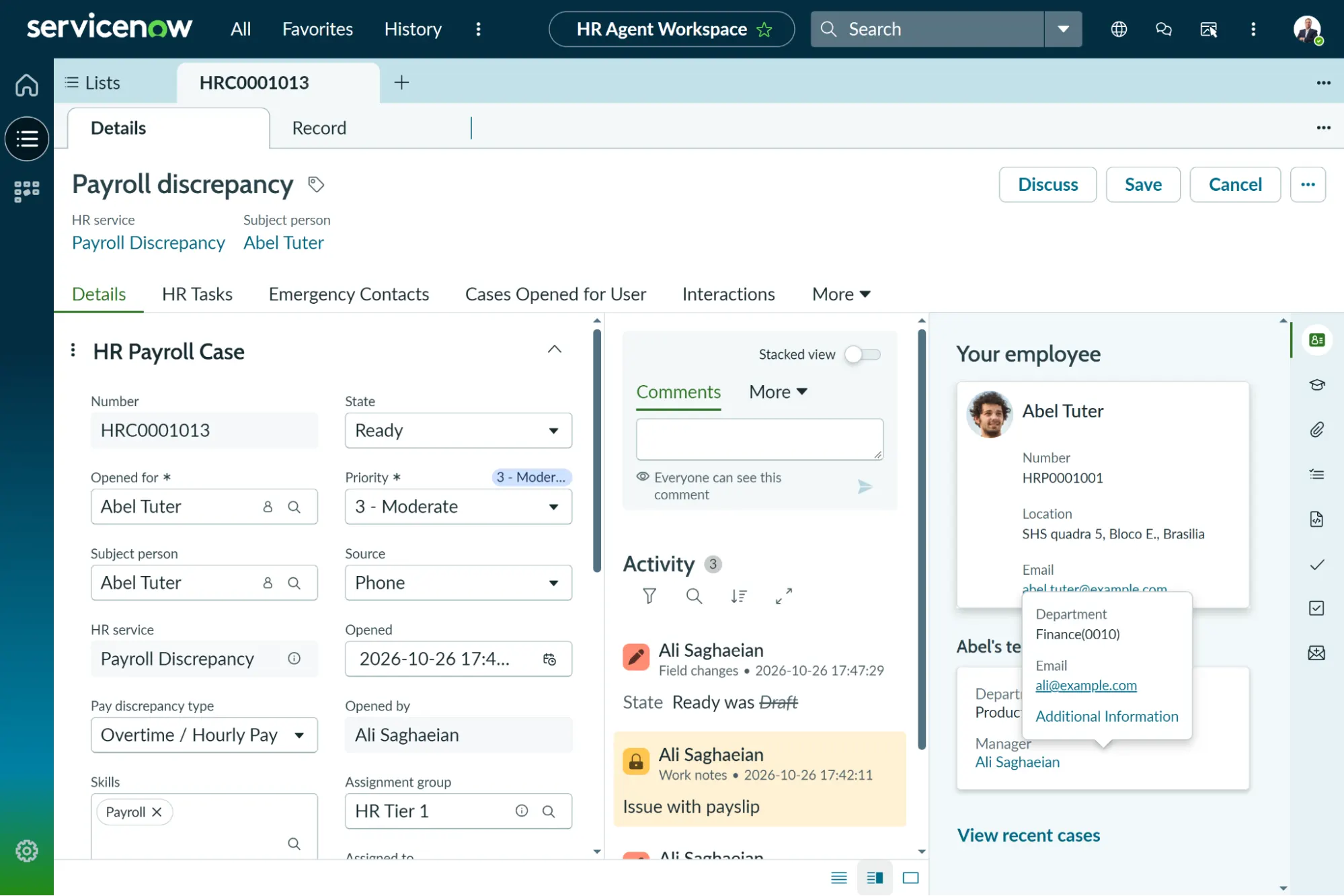
Source: ServiceNow PDI
6. HR Service Delivery Implementation Agents
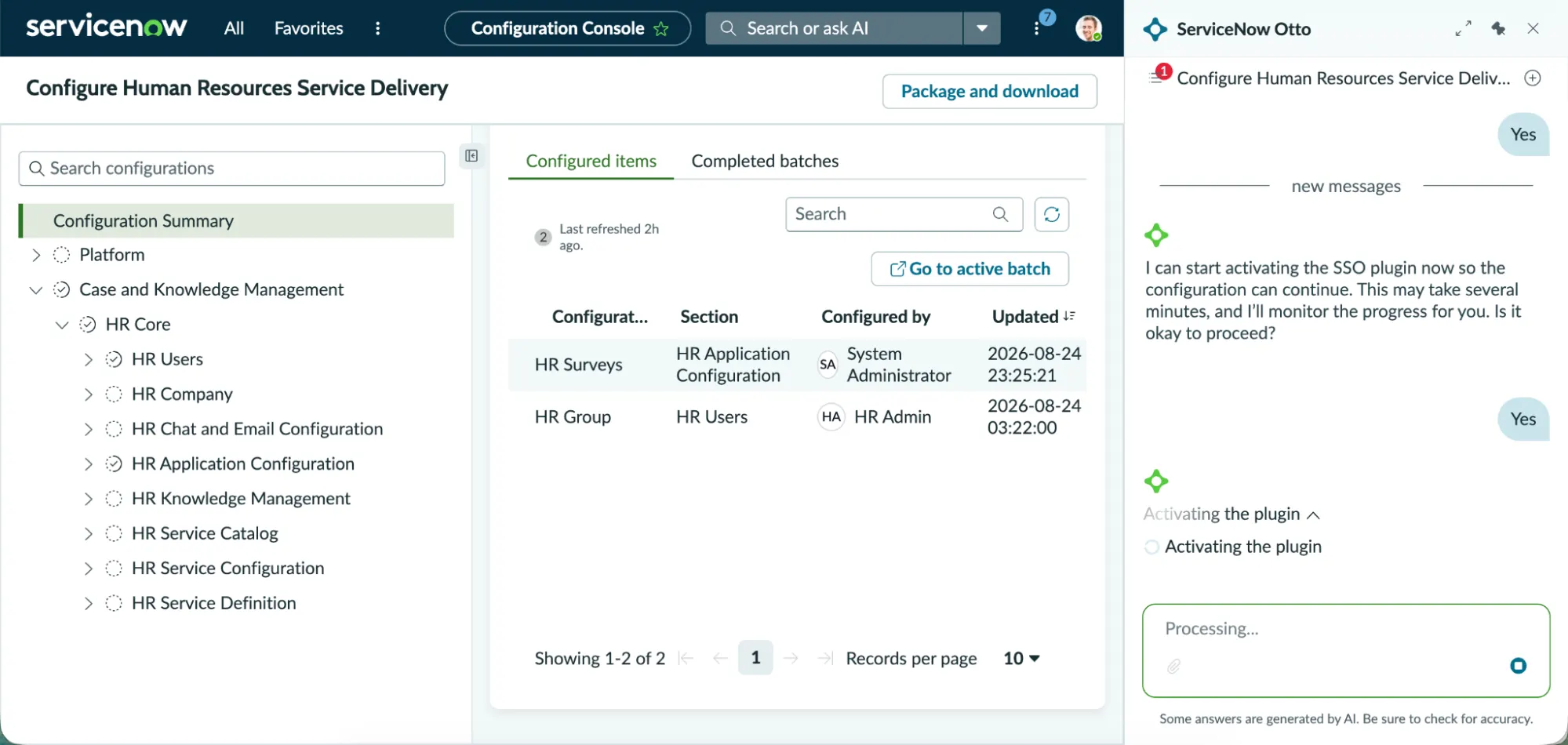
This application accelerates HRSD deployment by using Configuration consoles to guide implementers through the setup process, AI agents to automatically handle the configuration work from natural-language input, and Component checks to ensure all prerequisites are in place before activation. Some of the latest enhancements are:
- The HR Service AI Agent can now draft a new HR Service by simply uploading an HR policy document in PDF or Word.
- HR Services can be set up by HR admins using AI agents from the Configuration Console.
- The Implementation Agent is available in the Setup & Manage Products section under the Manage Platform tab.
Source: ServiceNow Docs
7. Employee Goals
The Employee Goals application provides visibility into employee personal and business goals for Talent Development activities. In the latest update, admins can configure AI-powered query generation in natural language for Employee Goals. They can also set access controls for AI Canvas components within the Employee Goals scope.
What’s Deprecated in Brazil?
While many new and enhanced features and applications are available, a few are being deprecated with no future support or availability for new activation.
The HRSD Process Mining Content Pack application is one of them, which is being replaced by the unified Process Mining Content Pack application. A couple of functionalities (i.e. Virtual Agent Conversations in HR Service Delivery and Issue Auto Resolution for HR) are removed and replaced by the AI Native SKU, which provides the latest experience.
Final Thoughts
Looking at the Brazil and Store app release notes, it appears ServiceNow is actively cleaning house and heading towards AI. We’re seeing a major transition where older HRSD capabilities are being replaced by the AI Native SKU or integrated with AI to provide the latest experience. A common theme of this release is the push toward a more unified HR experience, blended with AI trends.
EmployeeWorks and its functionality have introduced a fundamental change that reshapes the user experience as it becomes the central place for employee interactions. Employees use EmployeeWorks Web App for everyday tasks and requests, enabling them to skip ticket tracking and get instant help with troubleshooting, managing distribution lists, provisioning applications, approvals, and more.
Integrating HR Tasks, Employee Journeys, and E-Signature into EmployeeWorks ensures complex, multi-step HR tasks, lifecycle events, and talent development objectives are handled intuitively through a single conversational interface.
It is encouraging to see this shift toward integrated interfaces in the HR space. It changes how we interact with data, collaborate across teams, and deliver services to the business. For fulfillers, the Agent Workspace for HR Case Management continues to mature, giving HR teams a purpose-built, highly efficient environment to process incoming employee requests.
By adopting these unified, AI-driven capabilities and native functionalities, organizations can empower their workforce to reach their full potential within a modern, intuitive work environment.
Further Reading
Want to see more of what’s in the Brazil release? Check out these articles to see more of its new features and updates: