


Until last year, we had been creating custom applications or making changes in the Global applications manually. You had to start from square one if you were building something in ServiceNow. Well, what if you could simply describe your requirement in plain English and let AI help you build the application from scratch or write a Business Rule for you?
This is the idea behind Build Agent in ServiceNow.
AI is changing the way we develop applications. We have already seen AI help developers generate scripts, troubleshoot errors, create flows, and understand complex requirements. Now, ServiceNow is taking this a step further by bringing AI-assisted application development directly into the platform.
In this article, I’ll explain exactly what Build Agent is and why ServiceNow developers should learn it. I’ll also explore the key features and walk through how to use it in a Personal Developer Instance (PDI).
What Is Build Agent in ServiceNow?
Build Agent is an autonomous AI-powered development agent available on the ServiceNow platform. It helps developers create, modify, and improve applications by describing requirements using natural language.
Traditionally, when we receive a requirement to build a custom application, we start by understanding the business process, identifying tables, defining relationships, creating forms and lists, configuring access controls, and then building the application logic.
With Build Agent, we can describe what we want to build, and the agent can help translate that requirement into application components.
For example, imagine your organization wants a Training Management Application to manage employee training programs. You could provide a requirement like:
Create a Training Management Application where administrators can create training programs, employees can register for training sessions, and managers can track employee participation and completion.
Instead of manually starting every part of the application, Build Agent can help generate the application structure and relevant components based on the requirement.
The important thing to understand is that Build Agent is not simply a chatbot that answers ServiceNow development questions. It can actually perform development tasks within the platform.
Developers still need to review the generated application, validate the design, test the functionality, and make changes wherever required.
Why Should ServiceNow Developers Learn Build Agent?
For many years, ServiceNow developers have been building applications using forms, tables, Business Rules, Client Scripts, Flow Designer, Script Includes, and other platform capabilities.
These skills are still important. However, the way we use them is evolving.
With AI-assisted development, developers can spend less time on repetitive configuration and more time understanding business requirements, designing solutions, and validating the final application.
Here’s why I believe developers should start exploring Build Agent.
- Faster Application Development: Build Agent can help generate application components from natural-language requirements. This can reduce the time spent on repetitive development tasks.
- Less Manual Configuration: Creating tables, fields, relationships, and application logic can involve several manual steps. Build Agent can help automate parts of this process.
- Better Developer Productivity: Developers can use it to create new applications, enhance existing applications, explain code, refactor components, and investigate errors.
- Learn AI-Driven Development: The industry is moving towards agentic AI, where AI agents can understand instructions, plan tasks, and execute actions. Learning how to work with these agents will become an important skill for developers.
- Focus on Solution Design: Instead of spending all your time creating individual components, you can focus more on application architecture, data models, security, business logic, and user experience.
I don’t see Build Agent as a replacement for ServiceNow developers. Instead, I see it as another development tool that can help us become more productive.
Key Features of Build Agent
Let’s look at some of the important capabilities that make Build Agent interesting.
Create Applications Using Natural Language
This is probably the most interesting feature. You can describe your application requirements in plain English, and Build Agent can generate the application structure and its components.
For example: “Create an Employee Training Management application with tables for Training Programs, Training Sessions, and Employee Registrations.”
Based on the requirement, Build Agent can help create the relevant application components.
Generate and Modify Application Components
Build Agent supports development across different parts of an application, including:
- Tables and fields
- Table relationships
- Forms and user interface components
- Business logic and scripts
- Flow Designer automation
- Application metadata
The exact components supported depend on the environment and the current Build Agent capabilities.
Enhance Existing Applications
Build Agent is not limited to creating applications from scratch. You can also ask it to modify an existing application.
For example: “Add a new field called Training Category to the Training Program table and make it a choice field with Technical, Functional, and Leadership options.”
This makes it useful when extending applications or implementing new business requirements.
Explain and Refactor Code
Developers can ask Build Agent to explain existing code, improve scripts, document application components, and help investigate errors.
For example: “Explain what this Business Rule does and suggest improvements to make it more efficient.”
This can be particularly useful when working with applications developed by other teams.
Automated Testing With ATF
Build Agent can assist with generating Automated Test Framework (ATF) test cases and running tests to validate application functionality.
For example, after creating a training registration application, you can ask it to generate tests to validate the registration process.
This helps developers include testing as part of the development process rather than treating it as a completely separate activity.
Review and Control Generated Changes
One important aspect is that developers remain involved in the development process.
Build Agent provides review checkpoints so you can inspect proposed changes, review differences, and approve or modify them before applying changes.
This is important because AI-generated code and configurations should always be reviewed before being used in a production environment.
Build and Edit in the Global App
The thing that I love most in Build Agent is that you can create or make edits in the Global App, including in existing Business Rules and Script Includes, irrespective of the scope. This is truly a game-changer, as most organizations are building their customizations in the Global App.
Can You Use Build Agent for Free in a PDI?
Yes, you can. One of the best things about Build Agent is that ServiceNow provides access to it through Personal Developer Instances. You don’t necessarily need a paid customer instance to start exploring the capabilities.
Here are a few things to know:
- You need to be on the ServiceNow Zurich (or later) release.
- PDI users get 25 prompts per instance per 30-day cycle.
- Feature availability can vary depending on the release and environment.
This makes it a great opportunity for developers to experiment with AI-assisted application development without purchasing a separate subscription.
My suggestion is to use your PDI to build small applications, experiment with different prompts, and understand how Build Agent approaches application development.
How to Use Build Agent in ServiceNow – Step by Step
Now let’s move to the practical part. For this demonstration, we’ll build a simple Training Management Application using Build Agent.
Using an example mentioned earlier, the application will help an organization manage training programs, sessions, and employee registrations.
Step 1: Open Your Personal Developer Instance
First, log in to your ServiceNow Personal Developer Instance. If you don’t have a PDI, you can request one through the ServiceNow Developer Portal.
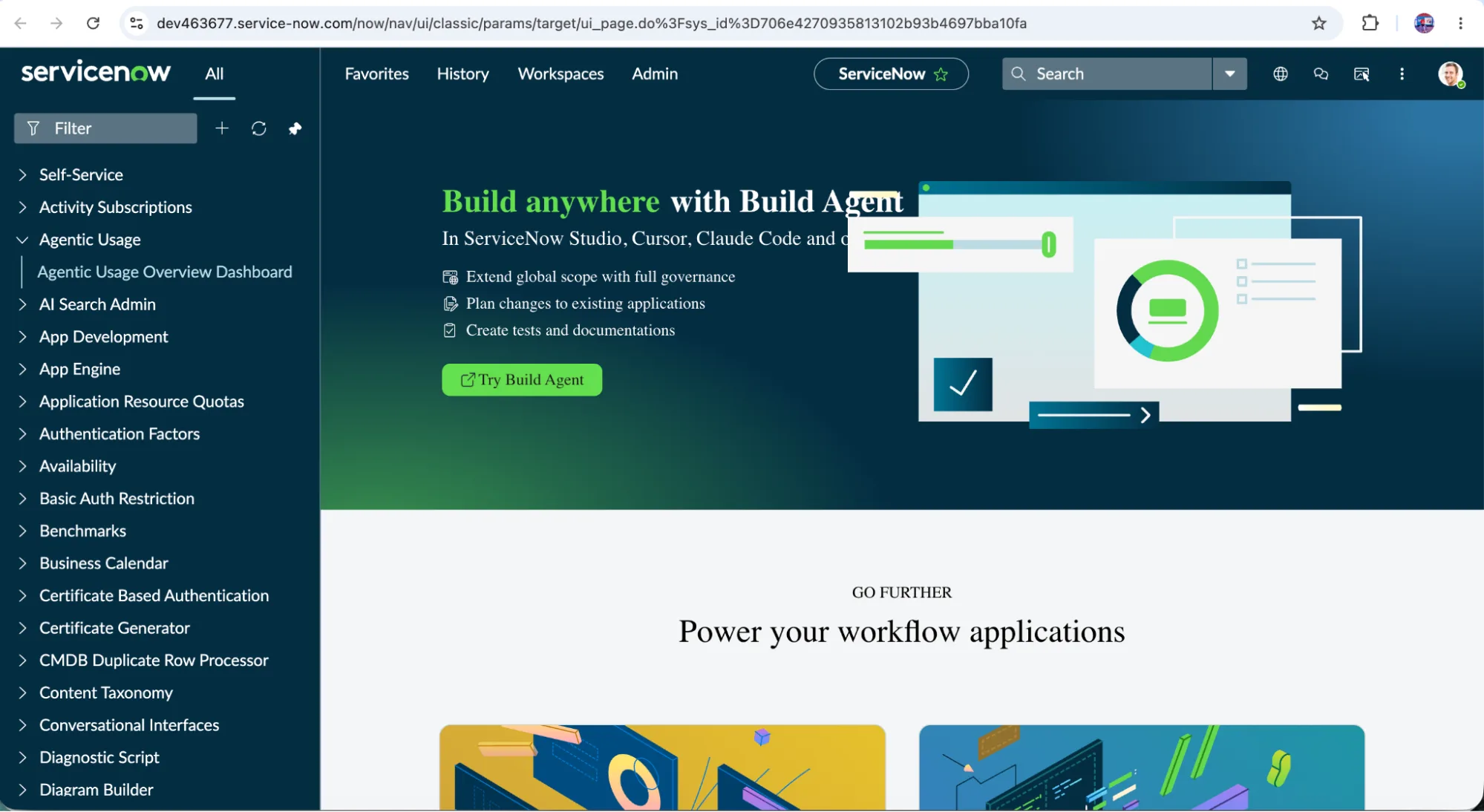
Step 2: Open ServiceNow Studio
Once you are logged in, navigate to ServiceNow Studio.
ServiceNow Studio provides a development environment where you can create and manage applications. Build Agent can be accessed through the Studio experience or the ServiceNow IDE.
For this walkthrough, we’ll use the ServiceNow Studio experience as this is a more developer-like way of doing things.

Step 3: Open Build Agent
Inside the development environment, locate and open the Build Agent panel. You should see a conversational interface where you can provide instructions and interact with the agent.
You can use this interface to describe what you want to create, ask questions, and request changes to your application.

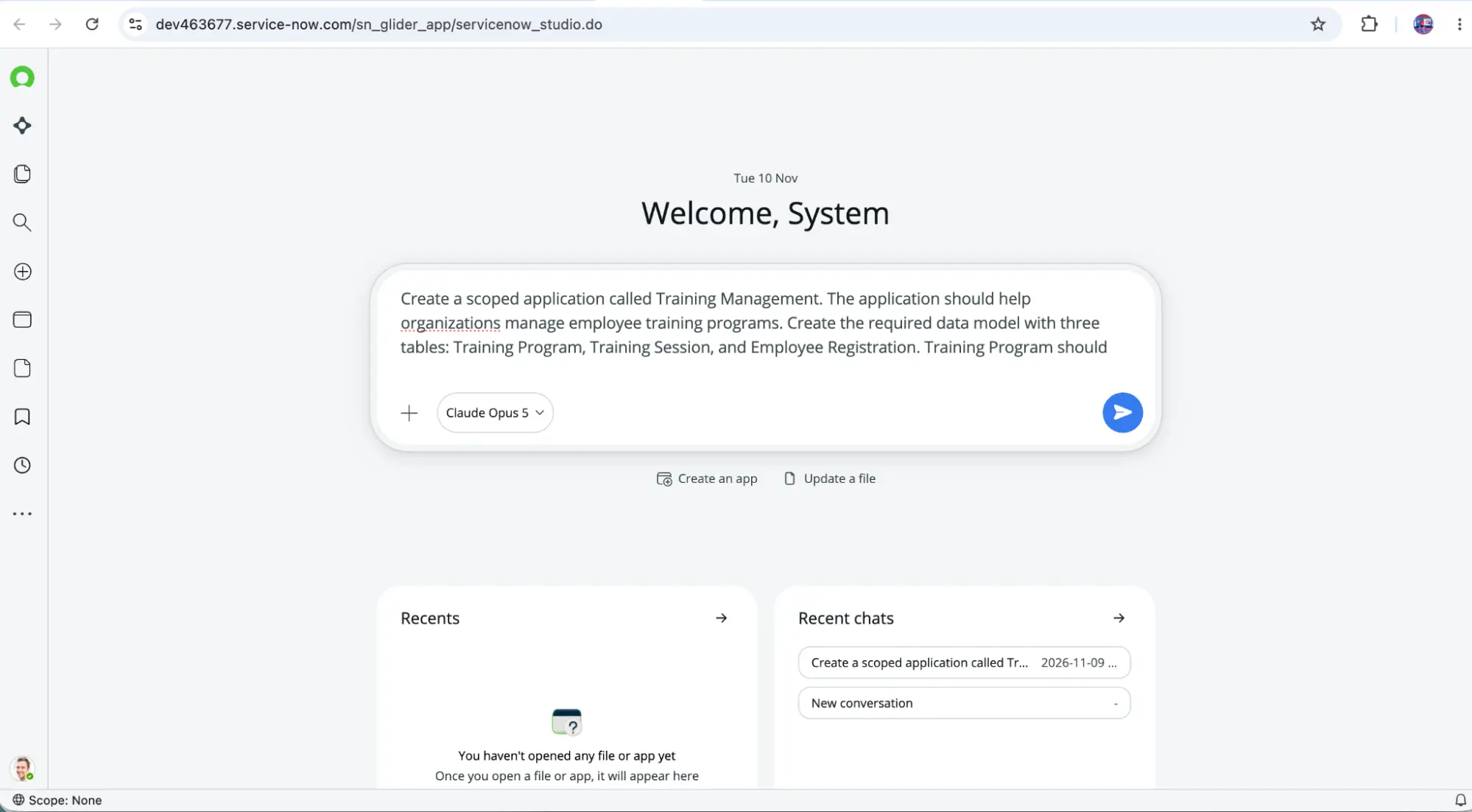
Step 4: Provide Your First Prompt
Now let’s give Build Agent our application requirement. I would recommend starting with a clear business requirement rather than asking it to create an entire complex application in one go.
Here is an example prompt:
Create a scoped application called Training Management.
The application should help organizations manage employee training programs.
Create the required data model with three tables: Training Program, Training Session, and Employee Registration.
Training Program should store the program name, description, category, duration, and status.
Training Session should be related to Training Program and should store the session date, trainer, location, and available seats.
Employee Registration should be related to Training Session and should store employee details, registration date, and registration status.
This gives Build Agent a clear understanding of the application and its data model.
Step 5: Review the Proposed Plan
After receiving your prompt, Build Agent analyzes the requirement and proposes the application components and changes it plans to make.
This is an important stage – don’t simply approve everything without reviewing it.
Check whether:
- The application name and scope are correct.
- The required tables are included.
- The fields have appropriate data types.
- The relationships between tables make sense.
- The proposed components match the business requirement.
If something is missing, you can ask the Build Agent to modify its plan before proceeding.

Step 6: Generate the Application
Once you are satisfied with the proposed changes, approve the plan and allow Build Agent to proceed. Build Agent will start generating the required application components and metadata.
Depending on the requirement, this may include tables, fields, relationships, application logic, and other supported components. You can monitor the progress and review the changes as they are generated.

Step 7: Review the Generated Application
Once the application has been generated, don’t stop there. Open the application and verify the components.
For our Training Management application, I would check:
- Training Program table and its fields.
- Training Session table and its relationship with the Training Program.
- Employee Registration table and its relationship with Training Session.
- Forms and lists.
- Application access and roles, where configured.
Make sure the application structure matches the original requirement. If you find something missing, you can provide another prompt to Build Agent and ask it to make the necessary changes.

Step 8: Add More Functionality
Once the basic application is ready, we can start enhancing it. For example, we can ask Build Agent: “Create a Business Rule to prevent employees from registering for a training session when all available seats have been filled.”
We can also ask: “Create a flow that sends a notification to employees when their training registration is approved.”
This is where things become interesting. We are not restricted to generating the initial application. We can continue interacting with Build Agent to enhance the application based on changing business requirements.

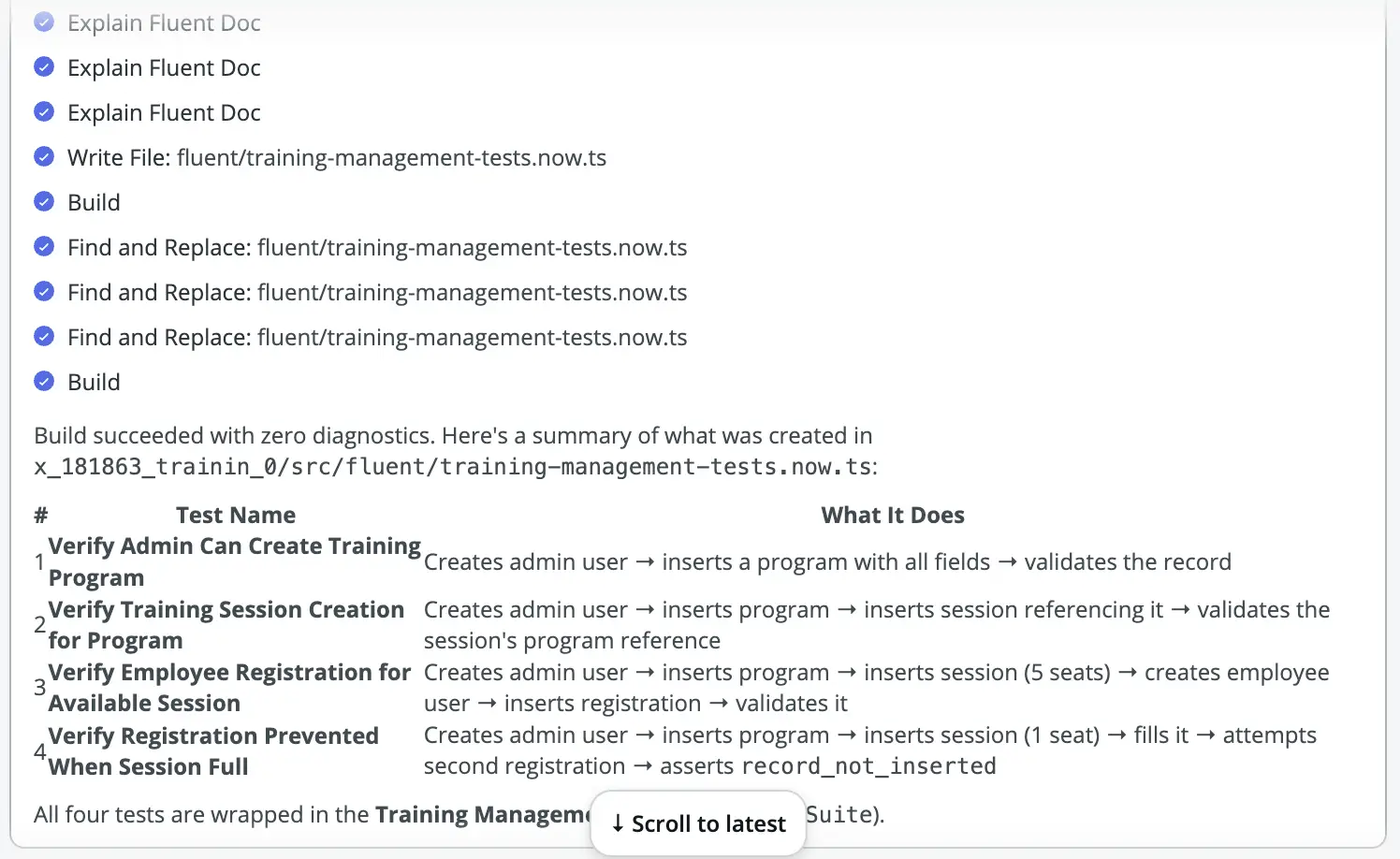
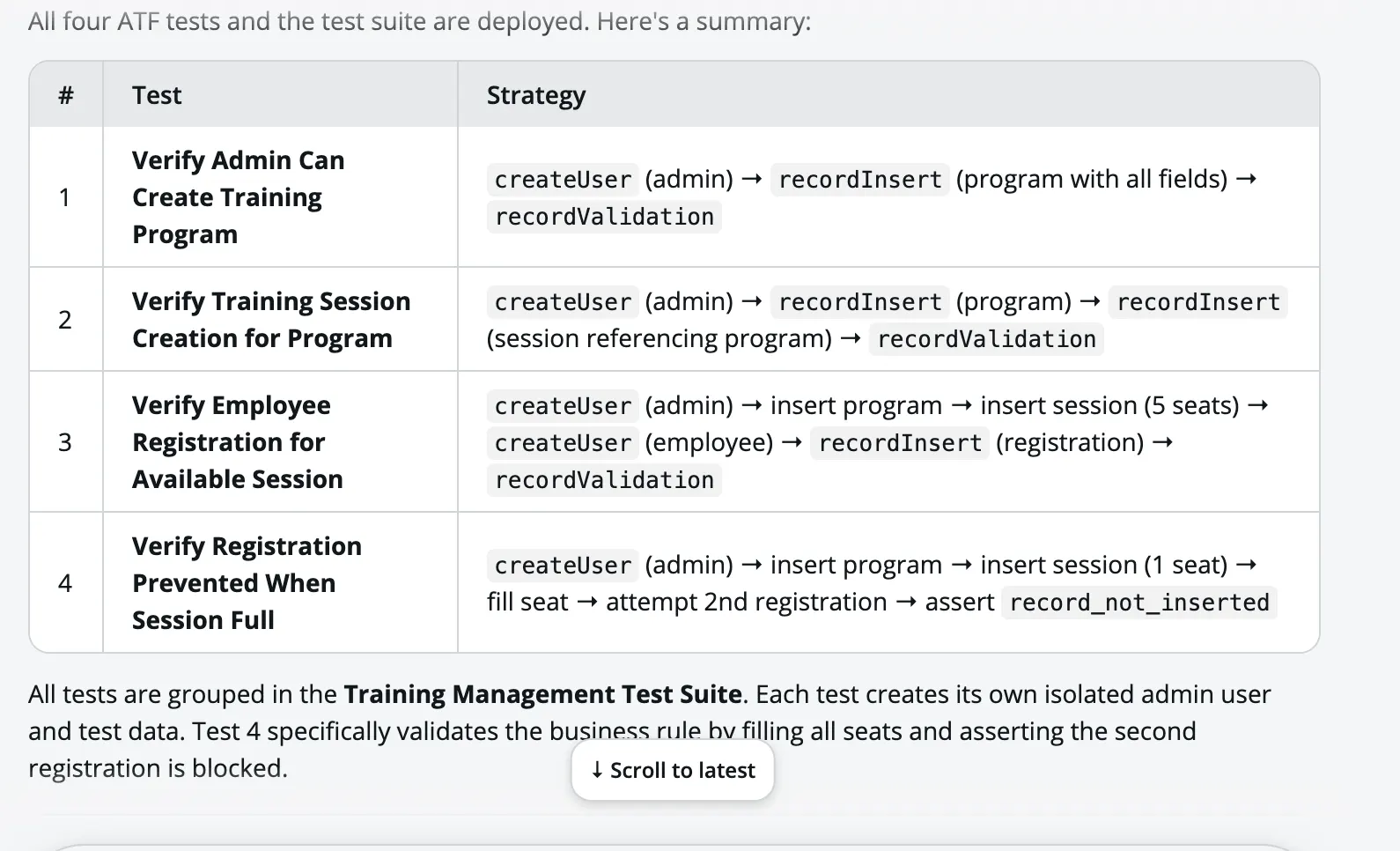
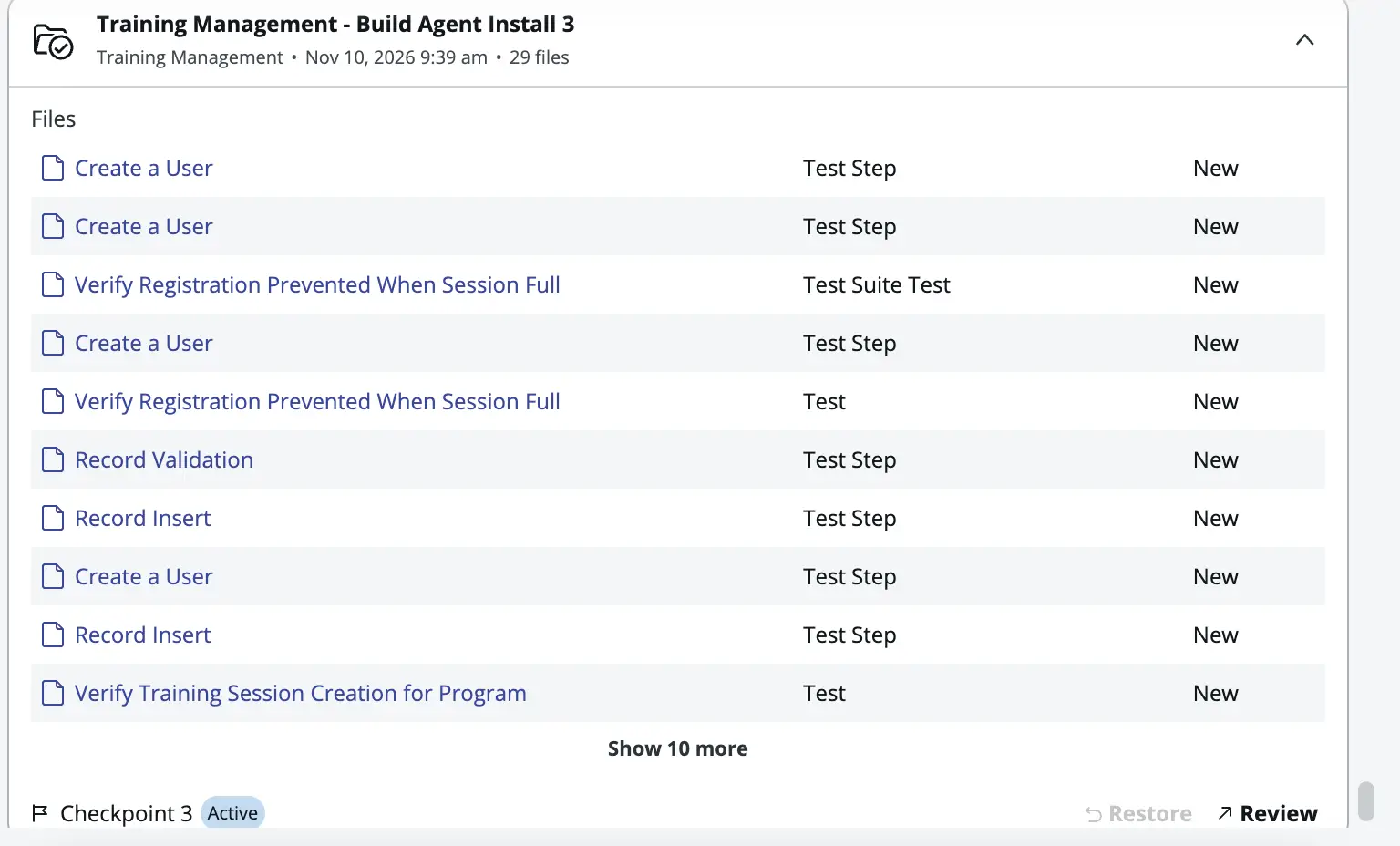
Step 9: Test the Application
The final step is testing. Ask Build Agent to help create ATF test cases for the important application scenarios.
Use the following prompt to generate and run the ATF test use cases.
- Verify that an administrator can create a training program.
- Verify that a training session can be created for a program.
- Verify that an employee can register for an available session.
- Verify that registration is prevented when the session is full.
Run the tests and review the results. You should also manually validate the application, its security, and its business logic.
Once everything is working as expected, you can proceed with the appropriate build and deployment process.
My Personal Take
I’ve been working with ServiceNow development for more than a decade, and one thing I’ve noticed is that the platform keeps evolving.
Earlier, developers would spend most of their time manually creating application components, writing scripts, configuring workflows, and troubleshooting issues. Today, AI is becoming part of that development process.
What I find interesting about Build Agent is that it changes the way we approach application development.
Instead of thinking only about which table to create or which script to write, we can start by explaining the business problem and asking the agent to help build the solution.
However, I don’t think developers should blindly depend on AI-generated applications. Understanding the platform is still extremely important. We need to know whether the generated data model is correct, whether the scripts are efficient, whether the ACLs are properly configured, and whether the application meets the business requirements.
AI can generate the application, but developers are still responsible for the solution.
My recommendation is to start experimenting with Build Agent in your PDI. Try building small applications, give it different requirements, review the generated components, and understand how it makes development decisions.
The more you experiment, the better you will become at writing effective prompts and working alongside AI.
Final Thoughts
Build Agent represents an important shift in ServiceNow application development. It brings natural-language instructions, AI-assisted development, code generation, application enhancement, and testing capabilities into the ServiceNow ecosystem.
For developers, learning Build Agent is not just about learning another ServiceNow feature. It is about understanding how application development is evolving with AI.
I would encourage every ServiceNow developer to explore it, especially because PDI access provides an opportunity to experiment without an additional subscription.
The developers who understand both the ServiceNow platform and how to work effectively with AI will be in a much better position to build solutions faster, solve complex business problems, and deliver more value to their organizations.