





Someone asks whether the team can “just” build the Salesforce-ServiceNow integration in-house. The answer is usually yes, and technically that’s correct… But here’s how it usually goes from there.
The sync goes live, and the demo goes well. Three months later, IT is fielding Slack pings from support asking for status on Incidents that were resolved the previous week, because a “closed” Case and an “open” Incident are somehow describing the same customer.
The funny thing is that the integration didn’t break. It just never worked, because some things never meant the same to both teams.
This happens far more often than anyone admits. But why?
Connecting a CRM to an ITSM platform looks like a technical project, so the choice between building and buying gets made on technical grounds: can our developers handle it, and how long will it take?
Here’s why that is usually an expensive mistake.
Two Teams, Two Definitions of “Urgent”
Ask a support manager what makes a ticket urgent, and you’ll hear about the customer: the account tier, the Service Level Agreement (SLA) clock, the renewal that is six weeks away. Ask the same question in IT, and the answer comes straight from ITIL: impact times urgency, calculated and documented.
Both answers are correct, and they have nothing to do with each other.
So when the integration maps “High” to “High”, it maps two words that happen to be spelled the same. A P1 for the support team can easily be a routine incident by ITIL math, and the sync will faithfully carry that misunderstanding back and forth all day.
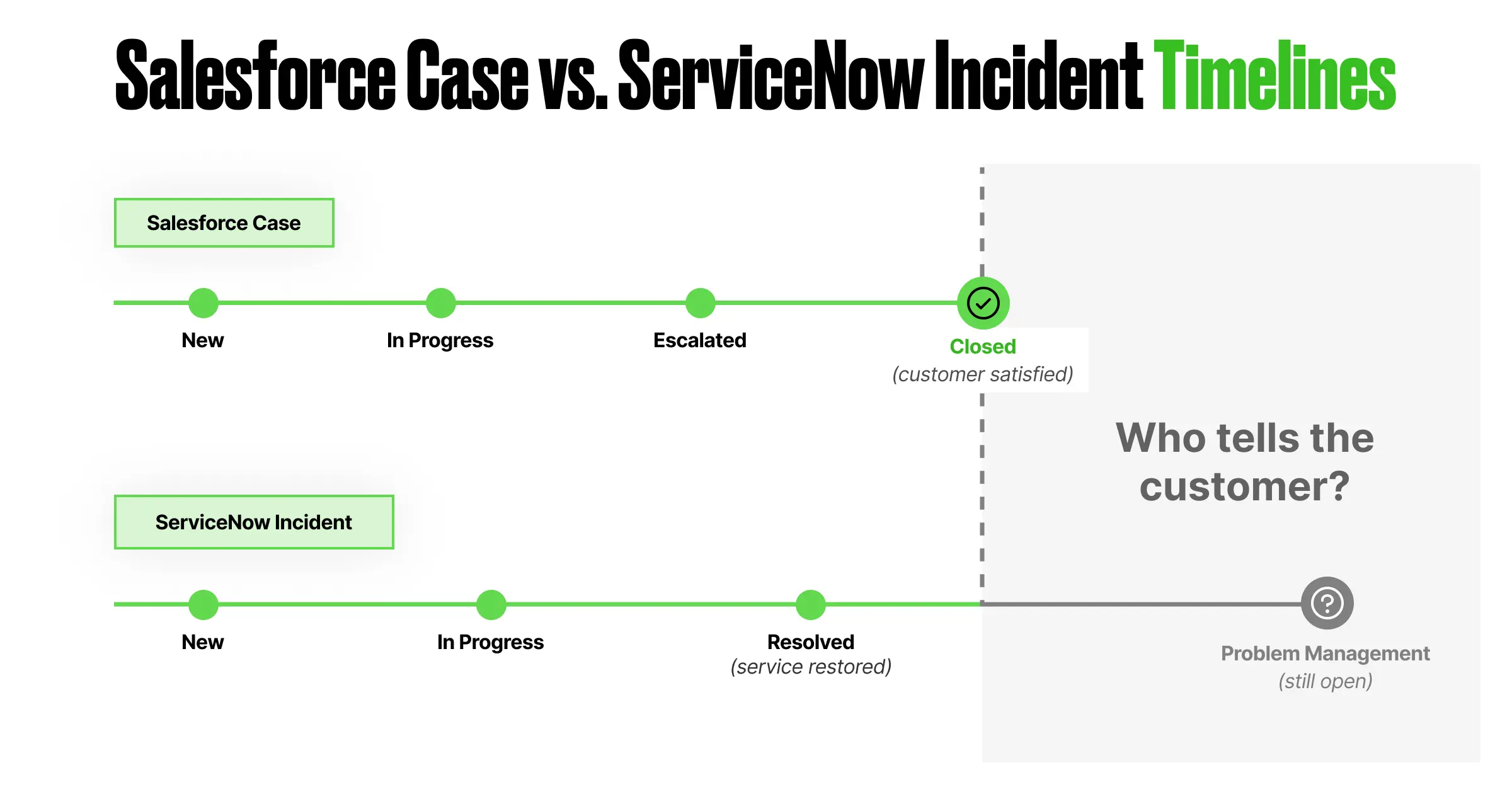
Same thing when it comes to closing. An Incident is done when the service is restored, and oftentimes it keeps living after that in problem management. A Case is done when the customer is happy – which means a closed Case sitting on top of an open Incident is a completely normal state for these two platforms, and somebody has to decide what the customer gets told in the meantime.
Field mapping can’t settle any of this, because none of this is a field problem. It’s just that two teams have never agreed on definitions, and that disagreement has to be resolved before it can be configured anywhere.
The Hidden Challenges Nobody Budgets For
Budgets for these projects usually cover development, testing, and deployment. The definition gap comes up later, in items nobody planned for:
- Status collisions: The Case says “Closed”, the Incident says “In Progress”. Who tells the customer which one is true?
- Duplicate records: While the systems aren’t connected, people copy data by hand, and manual re-entry produces two slightly different versions of the same ticket.
- Stranded context: Attachments, comments, and work notes live on one side. The engineer resolving the Incident never sees the customer’s screenshots sitting in the Case.
- Reporting that argues with itself: Salesforce measures resolution time from the Case, ServiceNow measures it from the Incident, and reports contain two numbers for the same question.
Put side by side, the two lifecycles show where those gaps come from:
The Build vs. Buy Decision
Now, let’s talk about build versus buy, because in the age of AI, the matter deserves another look.
Building a Custom Salesforce-ServiceNow Integration
Custom development gives you full control of the logic, and for genuinely unusual requirements, that control is the entire point.
Custom code captures your process as it works on deployment day. Six months later, the SLA tiers get restructured, or support reorganizes, or one painful outage produces a brand new escalation path. Every one of those changes goes back to the dev team as a ticket, waits in a backlog for a sprint, gets coded and tested, and ships after the process has quietly moved on again.
Buying a Ready-Made Salesforce-ServiceNow Connector
Ready-made connectors keep the mapping in configuration instead. When the escalation rule changes, an admin updates it the same day, and nobody files a development ticket for it.
The trade-off is the vendor’s roadmap: you work inside what the connector supports, and anything beyond that turns into a feature request.
Over a few years, this difference outweighs the initial build cost. Turns out, the expensive part of owning an integration was never building it – rather, it is changing it every time the business changes, and the business changes often.
What AI Changed Here
Code got cheap, of course. AI assistants generate API calls, transformation logic, and test coverage faster than any developer typing them out, so the coding share of an integration project keeps shrinking.
But every failure described in this article so far happened outside the code. And what about those? No model sits in the room where the support lead and the IT lead negotiate whose “Priority 1” wins. Someone still has to broker that agreement, write it down, and get both sides to live by it.
AI accelerates implementing the agreement. Reaching it remains human work, and reaching it was always the slowest part of the project anyway.
Where a Ready-Made Salesforce-ServiceNow Connector Fits
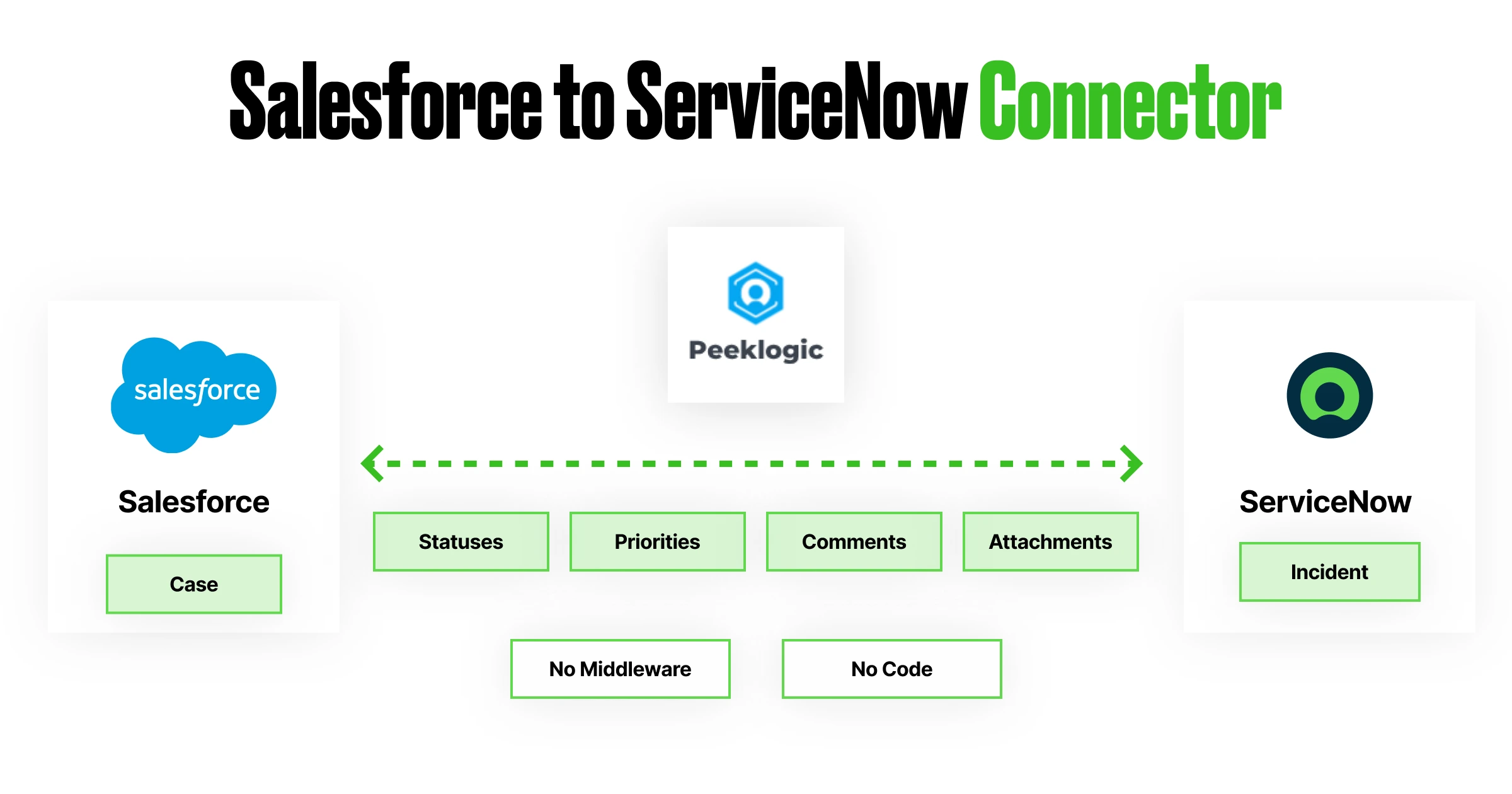
Peeklogic Salesforce-ServiceNow Connector is built around exactly this problem. It runs natively inside Salesforce with no middleware in between, installs in about seven minutes, and reaches full configuration within hours to a few days for most teams.
The process logic lives in no-code automation rules: field mappings, sync conditions, escalation triggers. When the definitions change (and they will), an admin adjusts the rules without writing code or waiting for a release window.
Comments, attachments, statuses, and priorities stay aligned across both platforms, which removes up to 40% of the manual data transfer and cross-team coordination that disconnected setups require.
Book a demo to walk through your flow with our team, or learn more about the connector and its capabilities.