





Artificial intelligence on the Now Platform has evolved rapidly – from predictive intelligence to GenAI through Now Assist.
The next leap is agentic AI: autonomous AI agents that understand goals, break them into tasks, take actions on the platform, and continuously optimize outcomes.
If generative AI helps you write, agentic AI helps you do. This article will walk you through:
- What agentic AI means in the ServiceNow world
- What a beginner-friendly first use case looks like
- How to test your first agentic AI workflow
- Best practices, risks, and real examples
What Are Agentic Workflows in ServiceNow?
Agentic workflows are intelligent, goal-driven processes where complex tasks are broken into smaller, manageable steps and executed by specialized AI agents. These agents work collaboratively, make decisions in context, refine their outputs, and integrate seamlessly with existing automations. The result is faster, more accurate, and highly adaptive business operations.
How to Get a ServiceNow Instance to Test Agentic Workflow
Before you build or experiment with Agentic Workflows, you need access to a ServiceNow environment where you can safely explore, test, and learn. Right now, ServiceNow PDIs don’t support agentic workflows (of course, because of costs). The easiest – and official – way to get a personal, temporary instance is through ServiceNow University (Now Learning).
Below is the simple process anyone can follow:
- Log into ServiceNow University.
- Sign in with your credentials or sign up if you don’t already have an account on ServiceNow University.
- Search for the course “AI Agents: Configure AI Agents”.
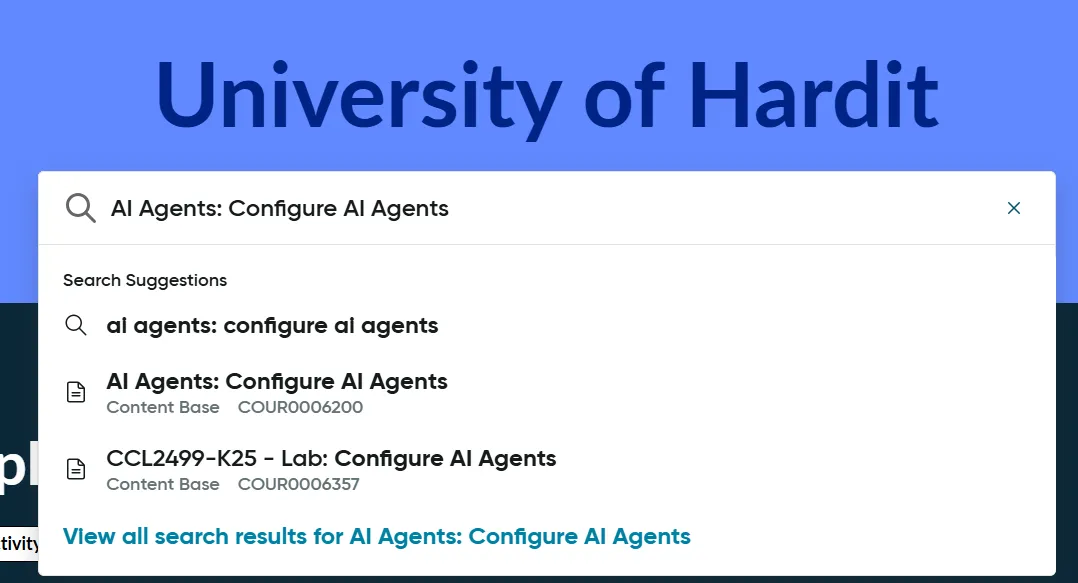
- Enroll for this course by clicking on the “Enroll” button.
- Click on the “Request Lab Instance” button to procure a new ServiceNow Instance.
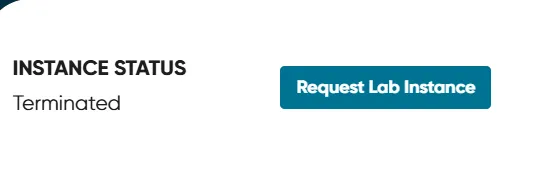
- Once requested, you would receive an email with details of your new ServiceNow University instance and receive the following confirmation message.

- Click on “Wake Up Instance”.
- Once you see a confirmation message “Running” (might take up to 15-20 mins), click on “Open My Instance”.

How to Test Your First Agentic Workflow
This section will guide you through a simple and beginner-friendly process to test your very first agentic workflow inside your ServiceNow University instance. The idea is to help you build confidence, observe the agent’s reasoning, and refine your prompts.
In the example below, we will be resolving a Problem ticket using an out-of-the-box agentic workflow.
Please go through the following steps to test your first agentic workflow:
- Once you open your instance, click on “All” in Application Navigator and search for “AI Agent Studio”.
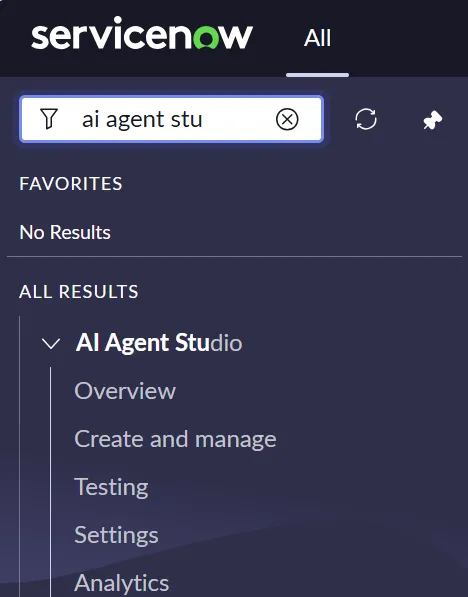
- Click on “Create and manage”.
- A list of agentic workflows in your ServiceNow instance will open under the “Use Cases” tab (in ServiceNow terminology, agentic workflows = use cases).
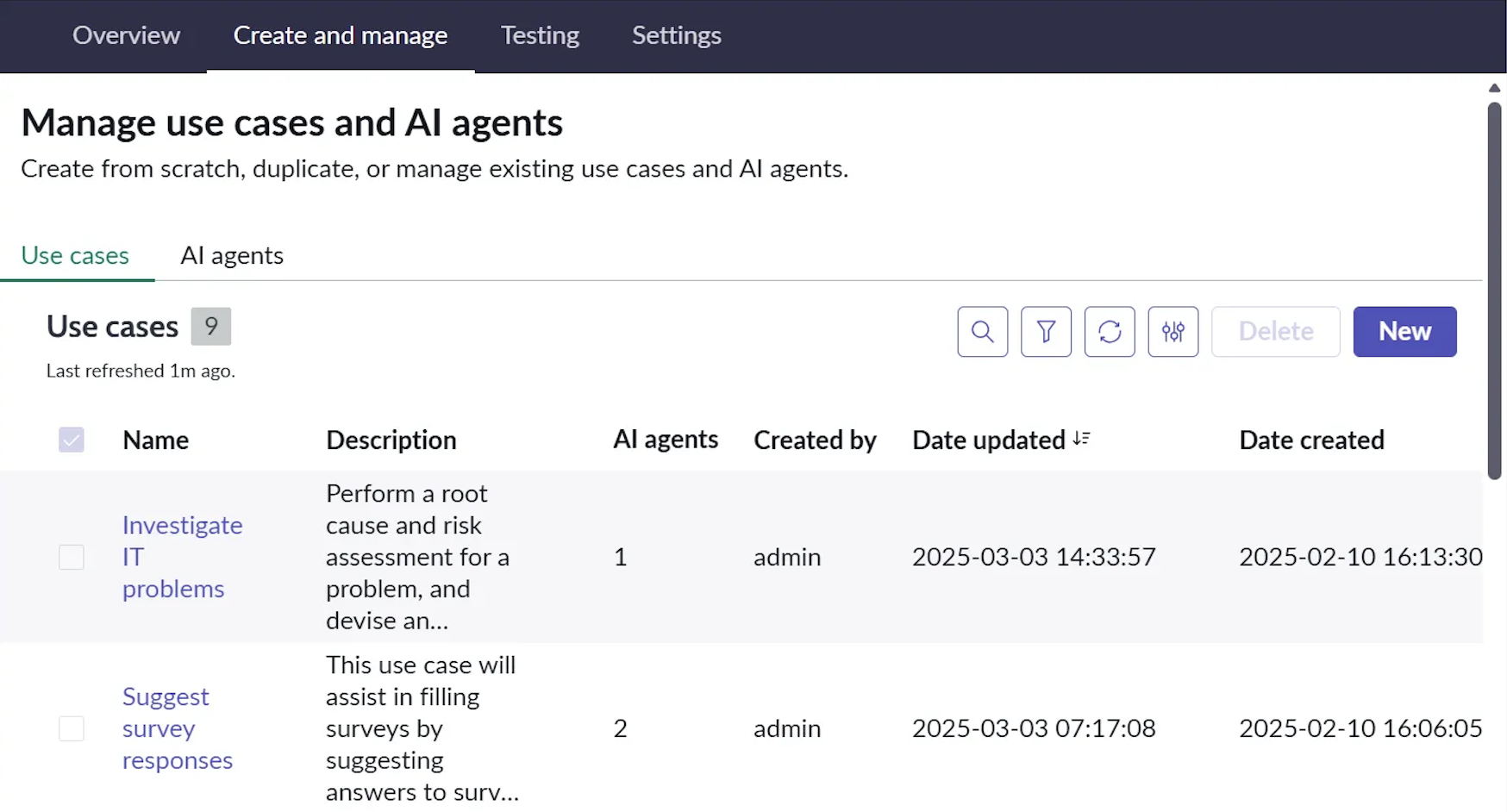
- Click on “Investigate IT problems” agentic workflow.
- The first screen shows you details of the agentic workflow. Click on “Continue”.

- The second screen shows you the trigger for this agentic workflow (it would be empty as of now). Click on “Continue”.

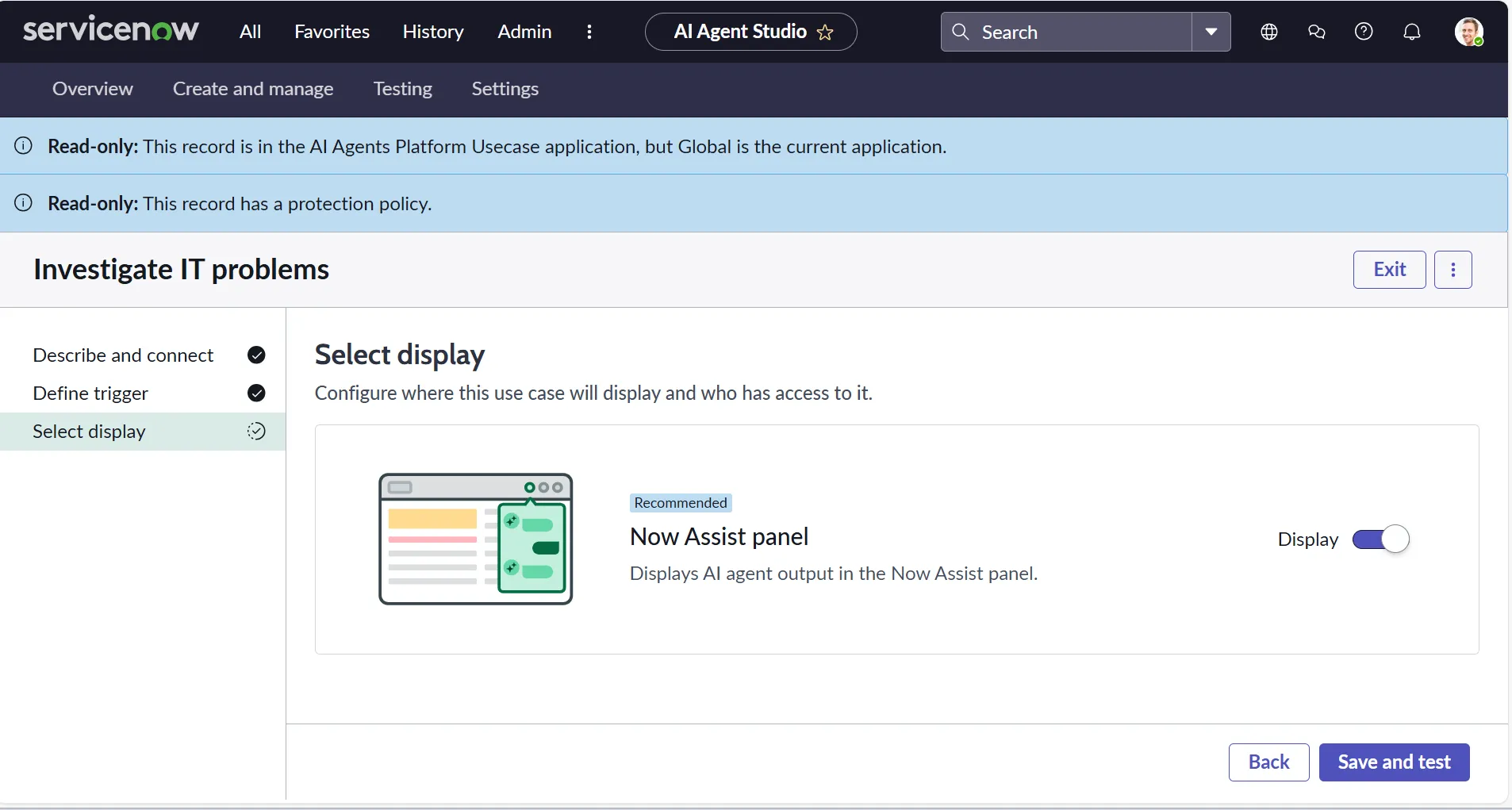
- In the third screen, switch on the toggle of “Now Assist panel”. Click on “Save and test”.
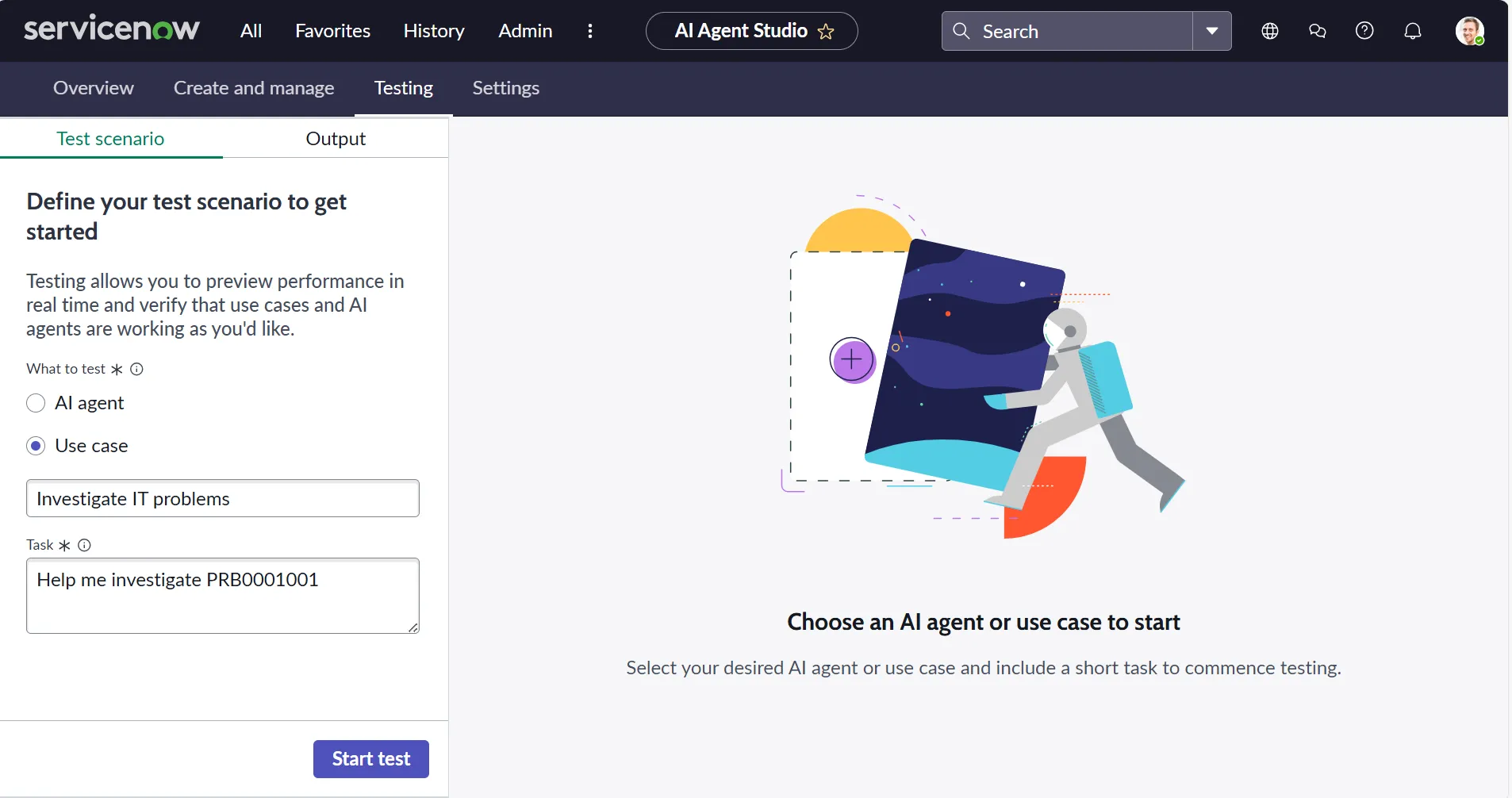
- You will now be on the test screen, give the prompt “Help me investigate PRB0001001” and click on “Start test” (ensure PRB0001001 exists in your ServiceNow instance).
- Once agentic workflow execution is completed, you will receive the following Output under the “Output” tab, and on the right-hand side, you can look at the AI agent decision logs.

How to Test Your First Agentic Workflow in the Now Assist Panel
Now, you have tested your first agentic workflow in the AI Agent Studio. But the end users will actually use the Now Assist Panel to run agentic workflows.
So, we need to activate the Now Assist Panel first, and then we can test our agentic workflow. Please go through the following steps to activate the Now Assist panel and test an agentic workflow:
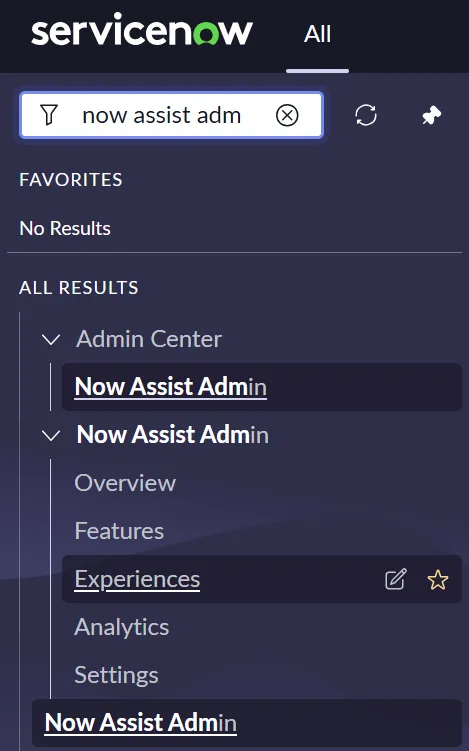
- In the Application Navigator, type “Now Assist Admin” and click on “Experiences”.
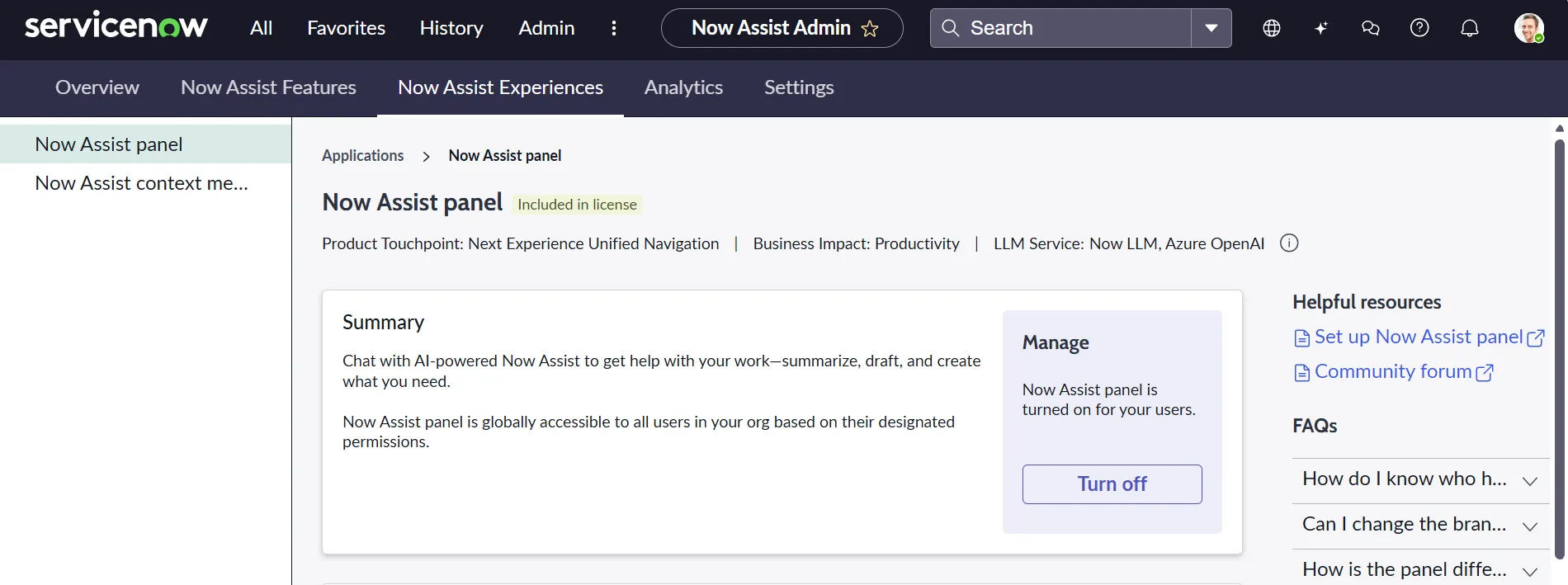
- Ensure that “Now Assist Panel” is turned on.
- You will also have to give the role “now_assist_panel_user” to the System Administrator user.
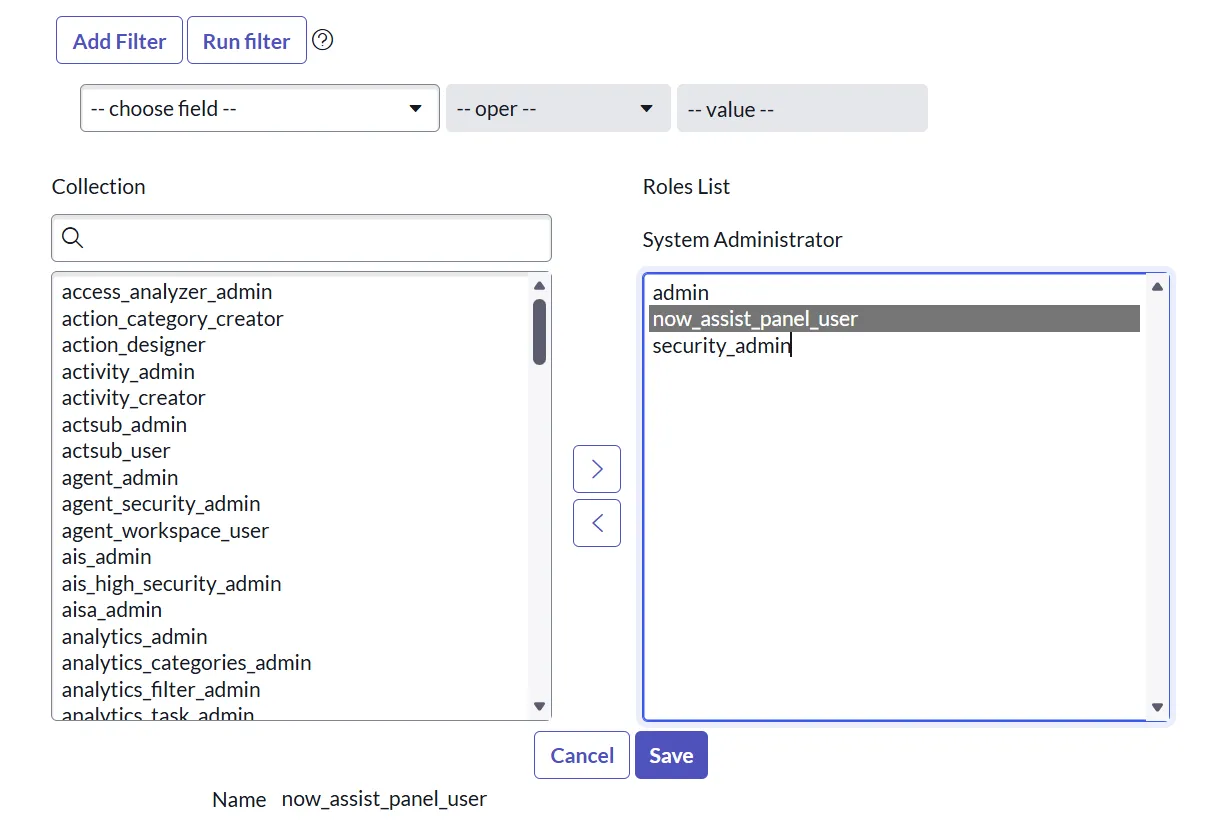
- On the top, you will now see the “Now Assist Panel”. Click on the icon.

- Let’s go ahead and now test our agentic workflow on the Now Assist Panel. Open any Problem record randomly; I will be using the same problem ticket number (PRB0001001).
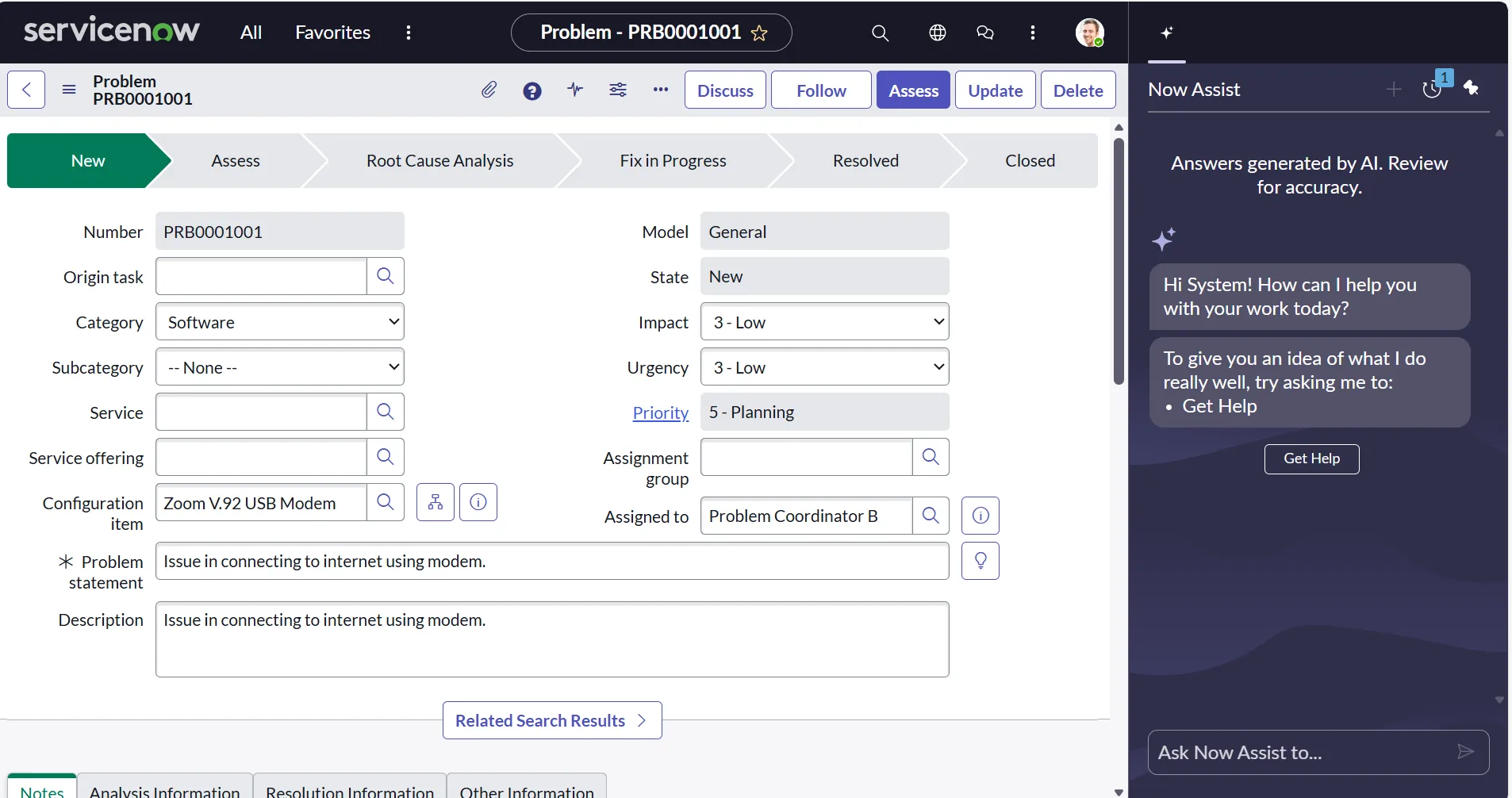
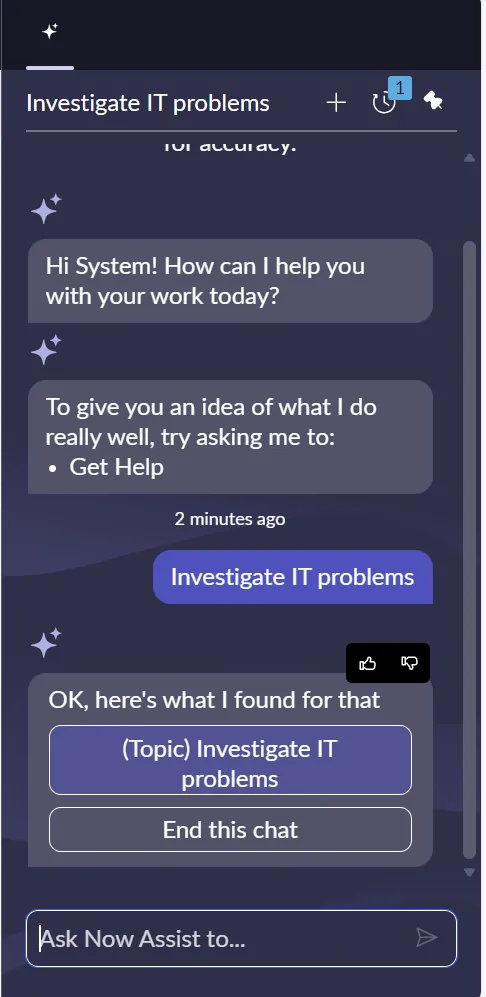
- Use the prompt “Investigate IT Problem” in the Now Assist panel and click on the arrow icon next to it.

- As soon as processing finishes, we will get the following results. Click on the “(Topic) Investigate IT problems”.
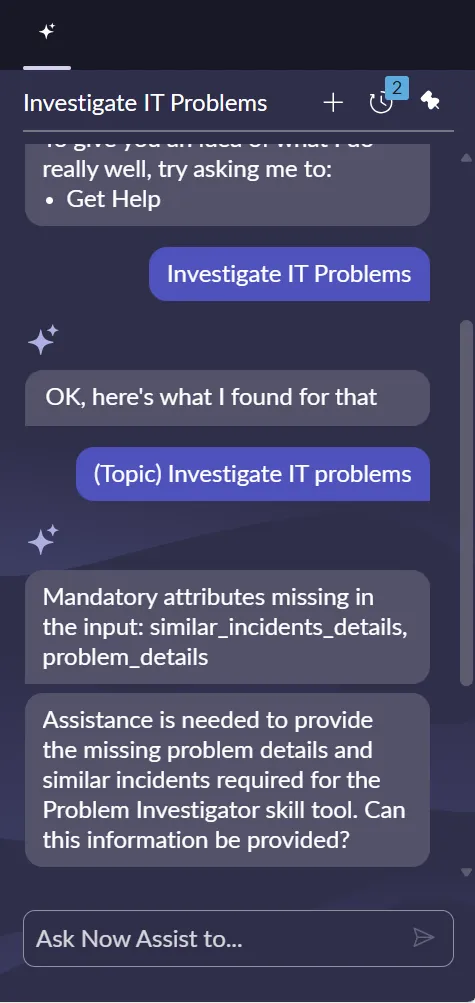
- In my ServiceNow instance, the AI Agent hallucinated and didn’t show the expected results. It might happen a lot in the new ServiceNow instance, as LLM is not yet trained. So, don’t worry if you don’t see the correct results.
These are the two ways using which you can test your agentic workflows: AI Agent Studio, Now Assist Panel.
- AI Agent Studio is primarily for admins and developers to test their flows and fine-tune them.
- Now Assist Panel is for the end users, where they will actually try to solve a business problem.
Summary
Agentic workflows represent the next major leap in ServiceNow automation – where tasks are not just executed but intelligently planned, coordinated, and optimized by AI agents. This new paradigm allows developers and administrators to build smarter, goal-oriented processes that adapt in real time, reduce manual effort, and improve accuracy across the enterprise.
ServiceNow provides two key ways to experiment and build confidence:
- AI Agent Studio: Designed for admins and developers, this is where you build, test, and fine-tune your agentic workflows. It is the controlled environment where you experiment, iterate, and validate how your agents think and act.
- Now Assist Panel: Built for end users, this is where agentic capabilities come to life. Employees interact with AI to resolve issues, get recommendations, or trigger intelligent automation directly within the platform.
With a free Now Learning/ServiceNow University instance, anyone can begin hands-on testing quickly. Start small, learn how agents behave, and gradually expand to real business use cases.
Agentic workflows are not just another feature – they represent the future of ServiceNow development. Begin experimenting today, and unlock a new level of automation that collaborates, adapts, and delivers impact across your enterprise.