





In this evolving world of IT landscape, organizations are constantly evolving technologies, and for that, they have to make changes in their IT environment constantly, which also brings inherent risk.
This is where Change Management comes into the picture, providing a structured approach to manage these changes effectively.
What Is a Change?
A change is adding, modifying, or removing anything in an organization that could have a direct or indirect effect on a “service”. This includes changes in software, infrastructure, or IT components.
For example:
- A Change ticket is raised to upgrade a LINUX server.
- A Change ticket is created to deploy code in production environment.
- A Change ticket is raised to upgrade a POS machine.
What Is Change Management?
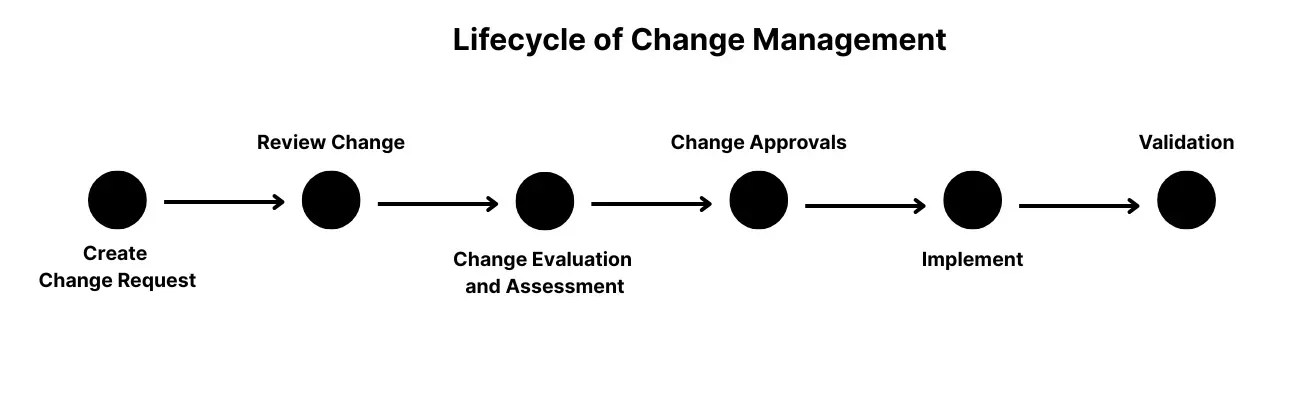
Change Management is the process of controlling the lifecycle of all changes to the IT environment with minimal disruption to services.
The primary objective of this process is to enable beneficial changes to be made, with minimum disruption to IT services.
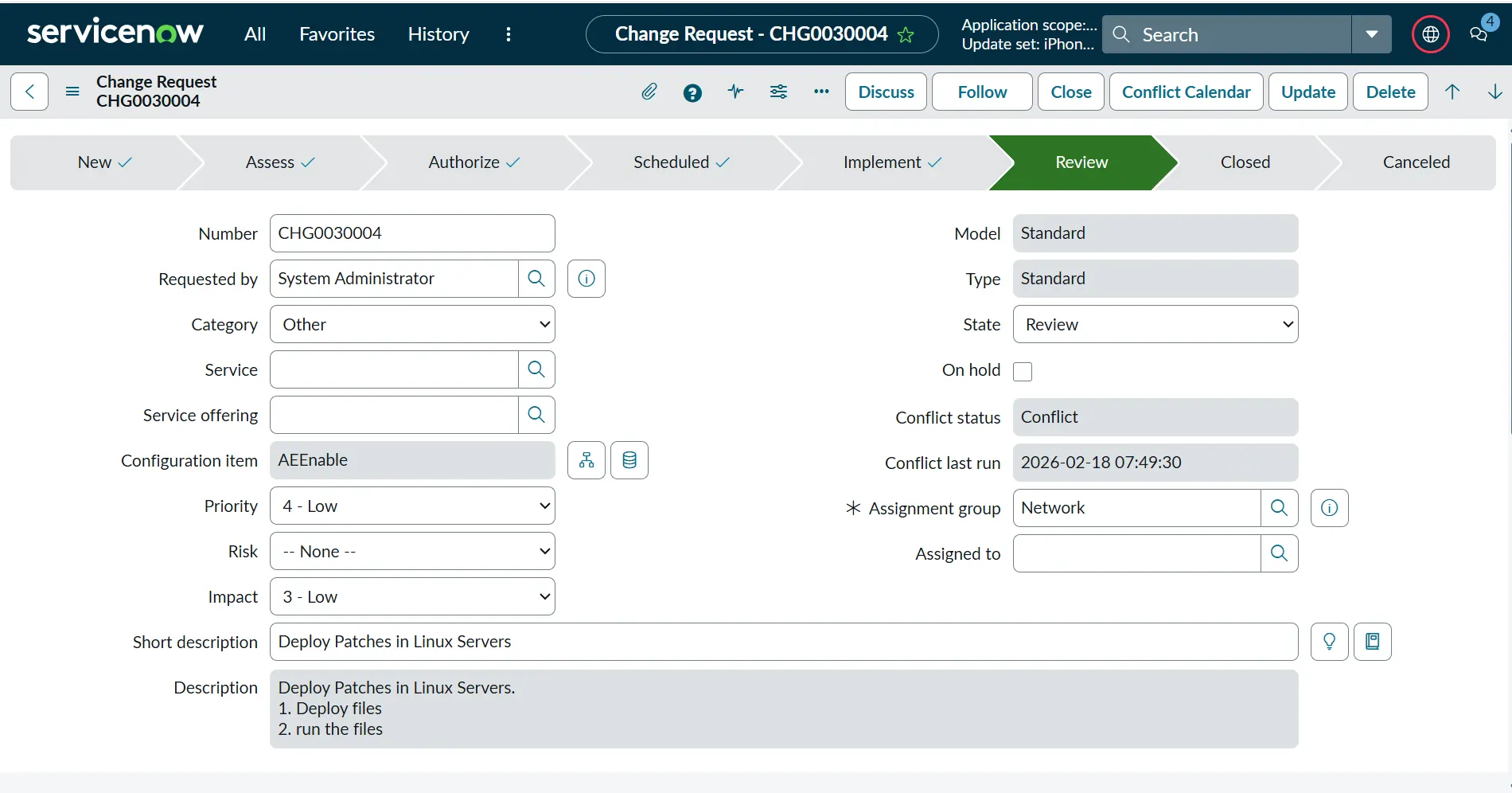
This is what a Change ticket looks like in ServiceNow:
Change Advisory Board (CAB)
This team is responsible for reviewing the changes that are raised by the users within an organization. They review all the changes and ensure all the details are provided in the change ticket. They also evaluate the risk of a change based on multiple criteria.
From my personal experience, the CAB team schedules a meeting, which happens a couple of times a week. Everyone who has raised a change for the upcoming release is invited. Once the CAB team is convinced that all the risks are managed in the raised Change and other teams in the meeting don’t have an issue with the change, they go ahead with approval.
Example: A Windows server team is upgrading a server this weekend. They present their Change in the CAB meeting and explain the changes to the CAB team and other members in the meeting. If the CAB team is happy with all steps to upgrade the server, backup plans, and justification, they will go ahead and approve the change.
Types of Changes
Change Management is a formal process to deploy changes, but users raise different types of changes depending on the situation. The approvals and process will vary according to the type of change you will raise, so selecting the correct type of change is really critical.
As per ITIL process, there are three types of Changes. However, some companies might have four or five types of changes.
Let’s discuss the types of changes as per ITIL processes and what is present in ServiceNow:
Normal Change
This change is a generic style of change that includes all the approvals and assessments required for a change. This change happens during a change window where all the users are informed beforehand that a change is going to happen at a specific time.
In my experience, if a team is planning for a Change which is within less than two days of the current date, it is considered an Emergency Change and not a Normal Change. So, Normal changes should be planned well ahead, and it should give enough time for the stakeholders and the CAB team to review the change, and all the users should be informed in advance.
Example: We want to deploy a script to upgrade our software. This will follow all the processes of a Normal Change, like assessment and approvals, and will be deployed during a change window.
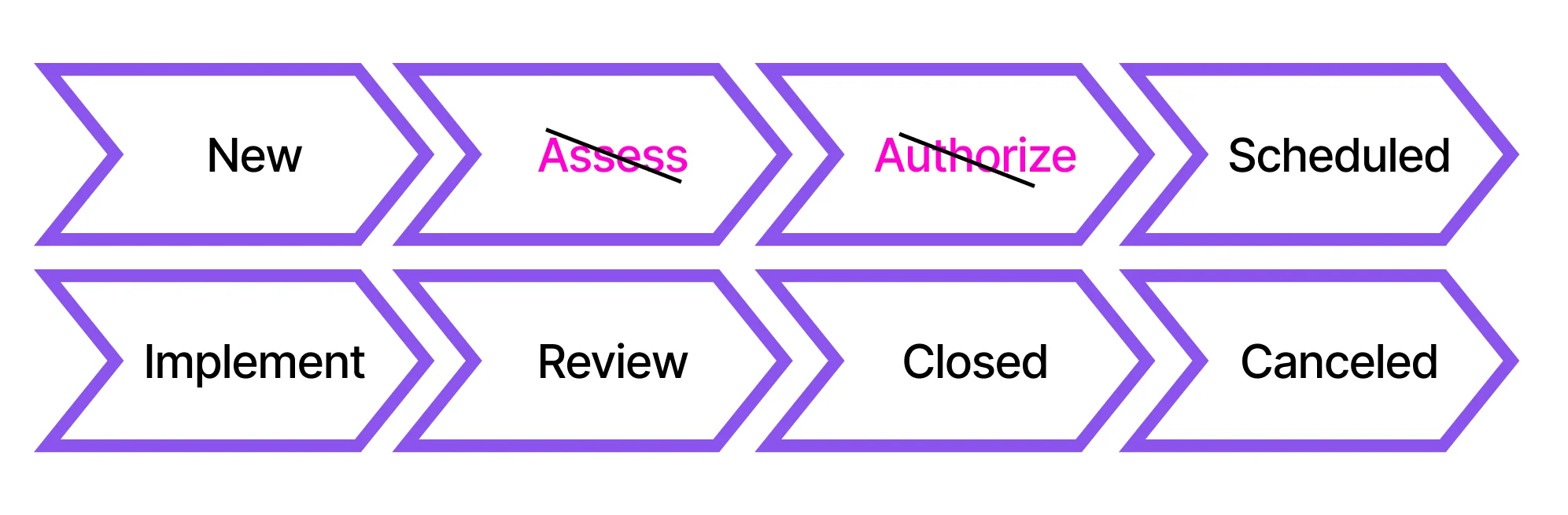
The following picture represents the flow of a Normal Change in ServiceNow:

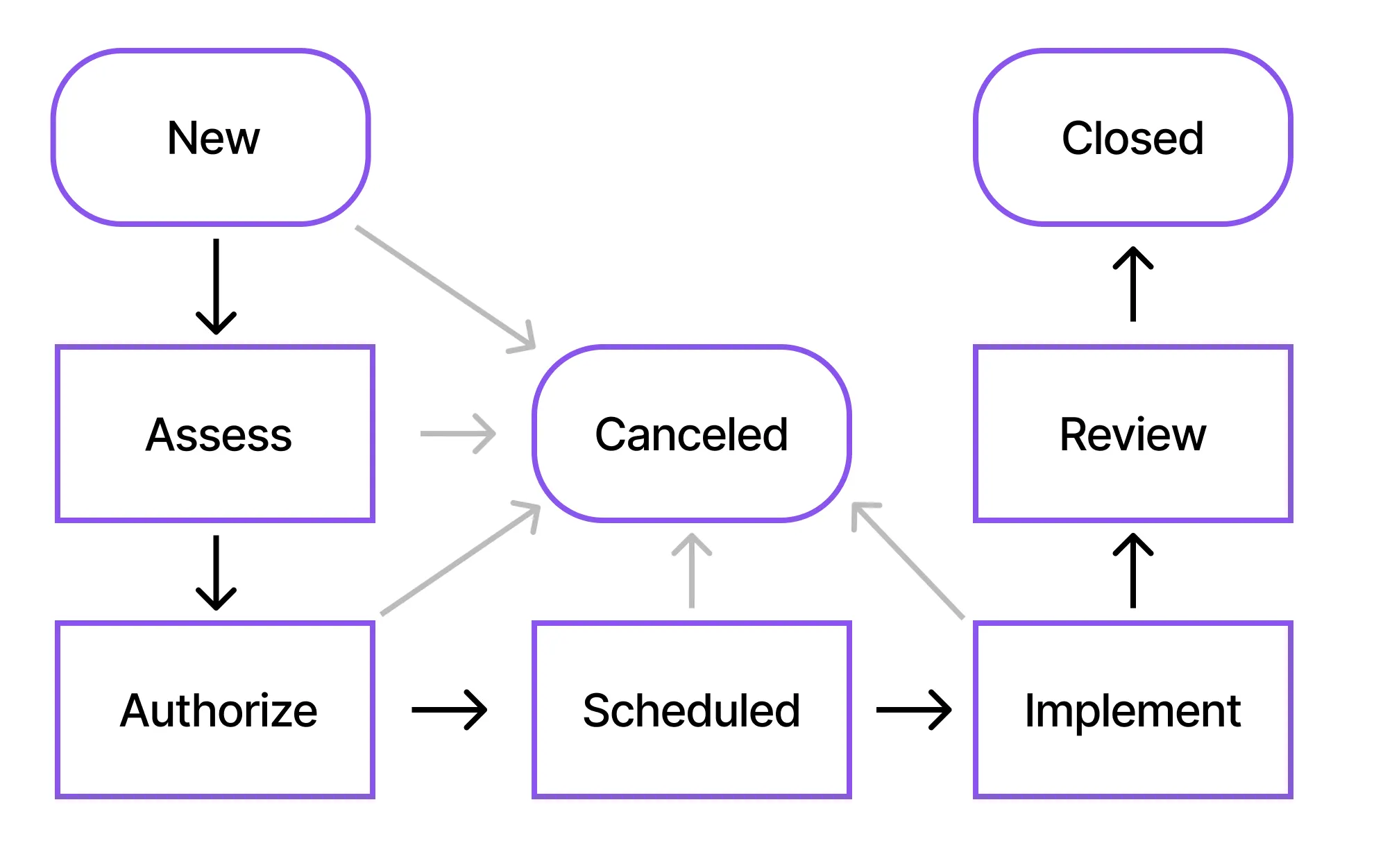
The different states in the Change are explained as follows:
New
When a new Change is created, the initial state is “New”. All the initial information of the Change is captured within this state. You will have to share critical information about the change:
- Short Description
- Description
- Implementation Plan
- Risk and Impact analysis
- Justification
- Backout plan
- Test plan
- Most importantly, the Planned Start and End date of the change.

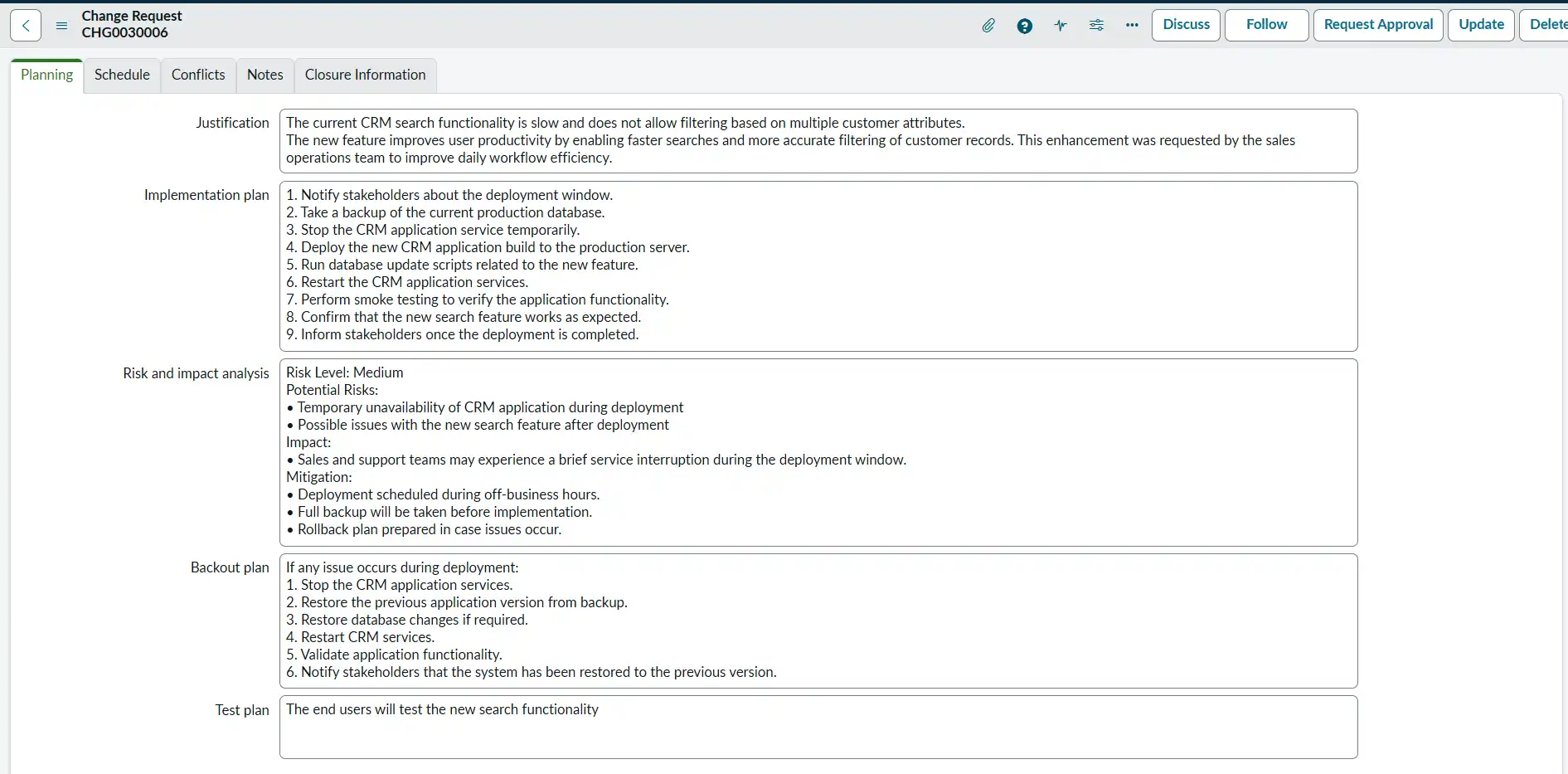

Example: A developer raises a change request to deploy a new search functionality feature in the CRM application to improve how sales teams find customer records.
Assess
In the Assess state, the change is reviewed to understand its risk, impact, and feasibility. The implementation team does an in-depth review of the change and evaluates if the change might affect other business services or users. By the end of the Assess state, the goal is to have a well‑understood, clearly defined change that can safely progress to the next stage.
An approval request is sent to the implementation team, and once they are satisfied with all the information in the change request, anyone from the group can go ahead and approve the ticket, and the ticket moves to the next state.
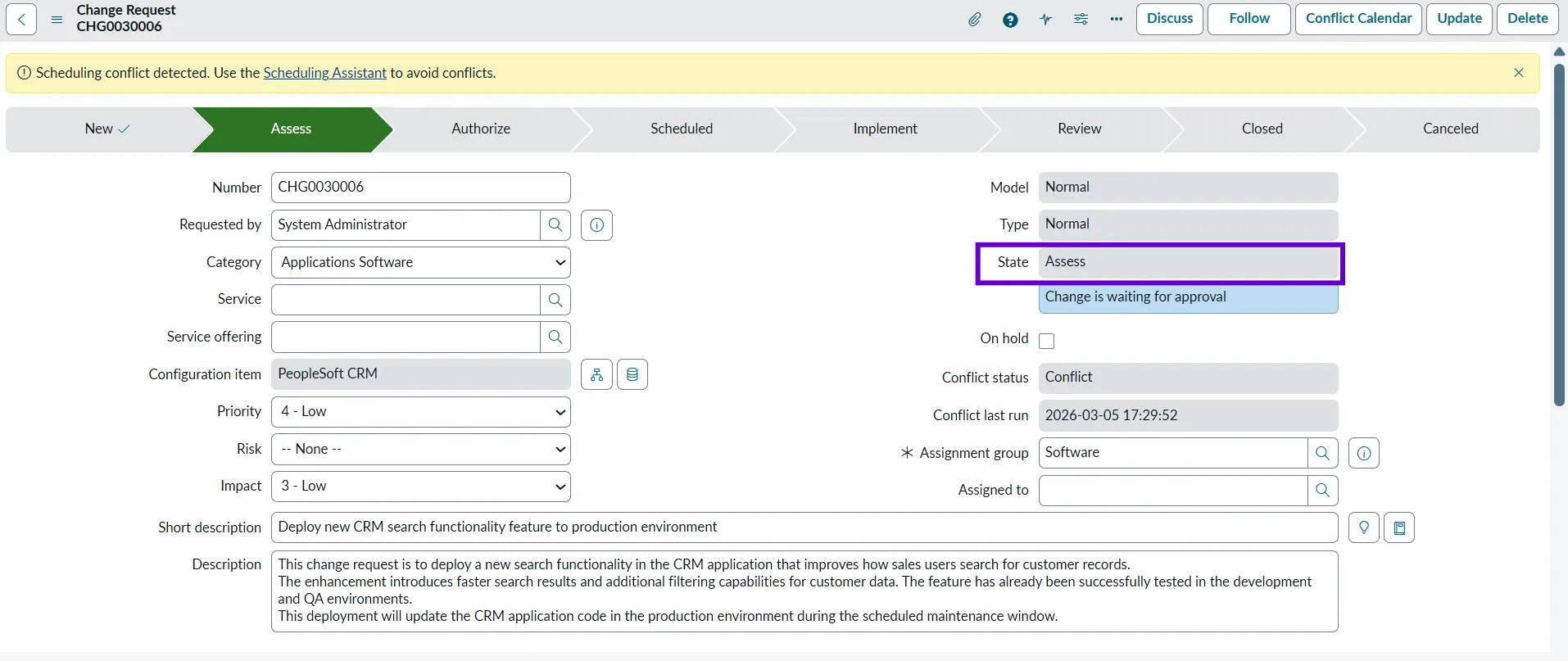

Example: The team reviews the CRM feature deployment and confirms that the feature has been tested successfully in the QA environment and identifies potential risks of deployment.
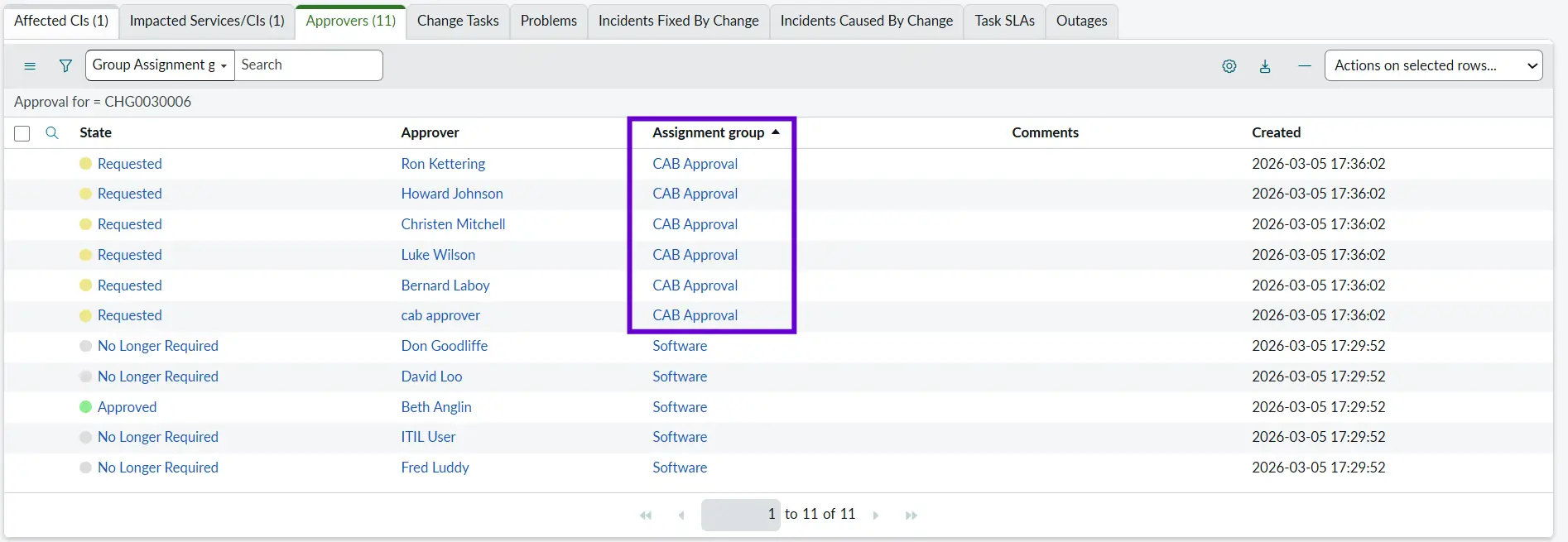
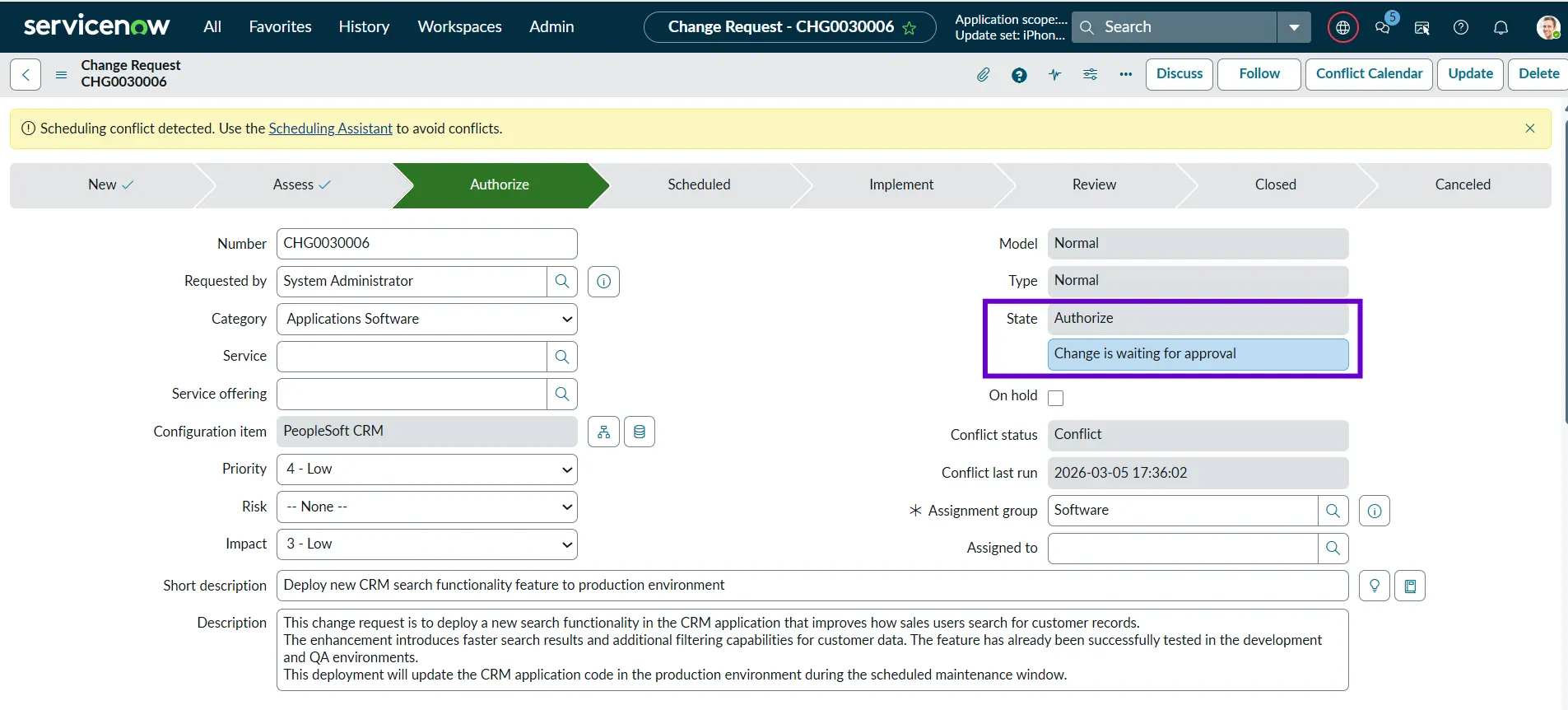
Authorize
During this state, the required stakeholders and the CAB team will provide approvals for the Change, so that it can move forward. This stage ensures that the change has met all necessary criteria: technical, operational, business, and compliance-related.
Example: The CAB reviews the explanation and documentation and confirms that the change can proceed further.
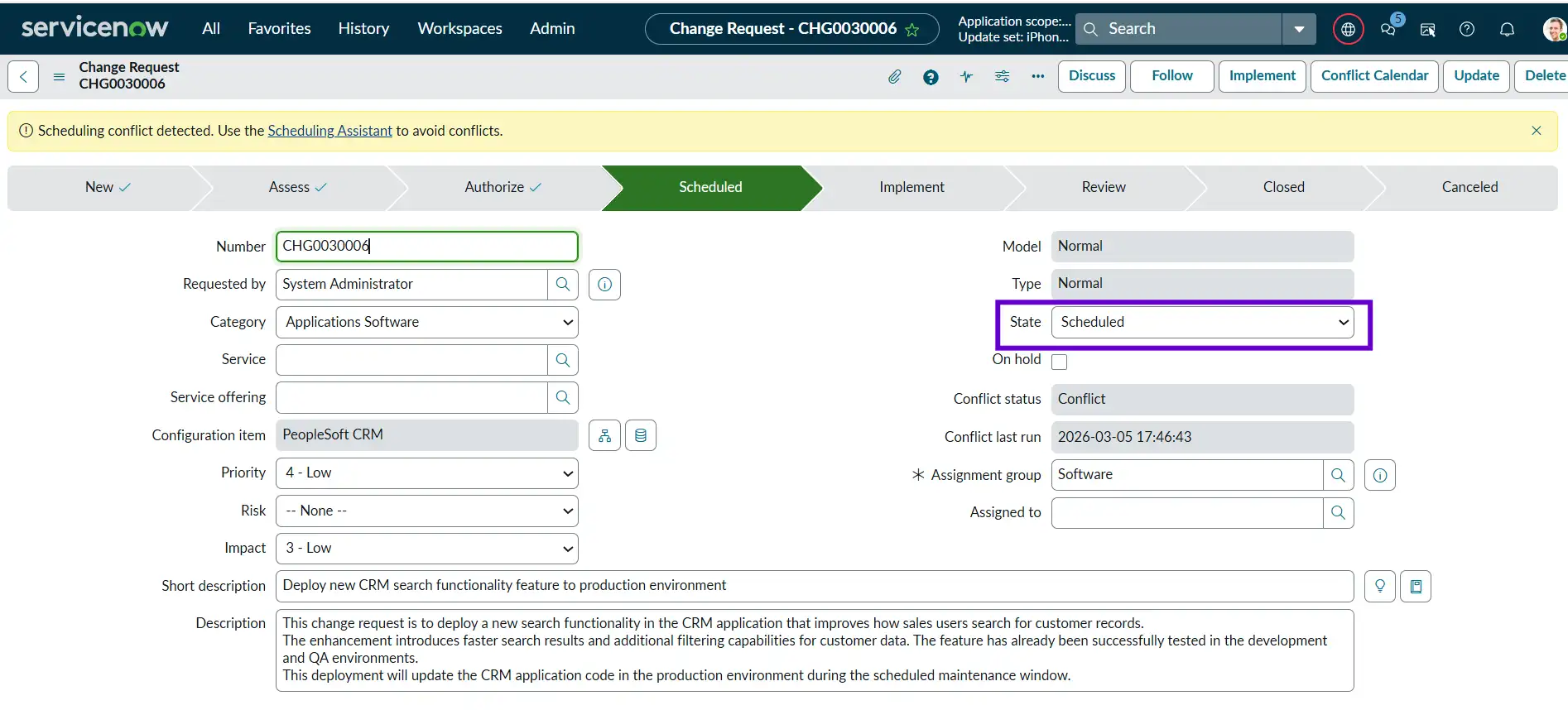
Scheduled
In this state, all the reviews and approvals have been completed, and the change is ready to be implemented. All the users, the implementation team, and the supporting team are informed about the change. Now, we are just waiting for the change to be implemented on the planned start date.
Example: The CRM code deployment is scheduled for 10:00 PM on Saturday, when system usage is low.
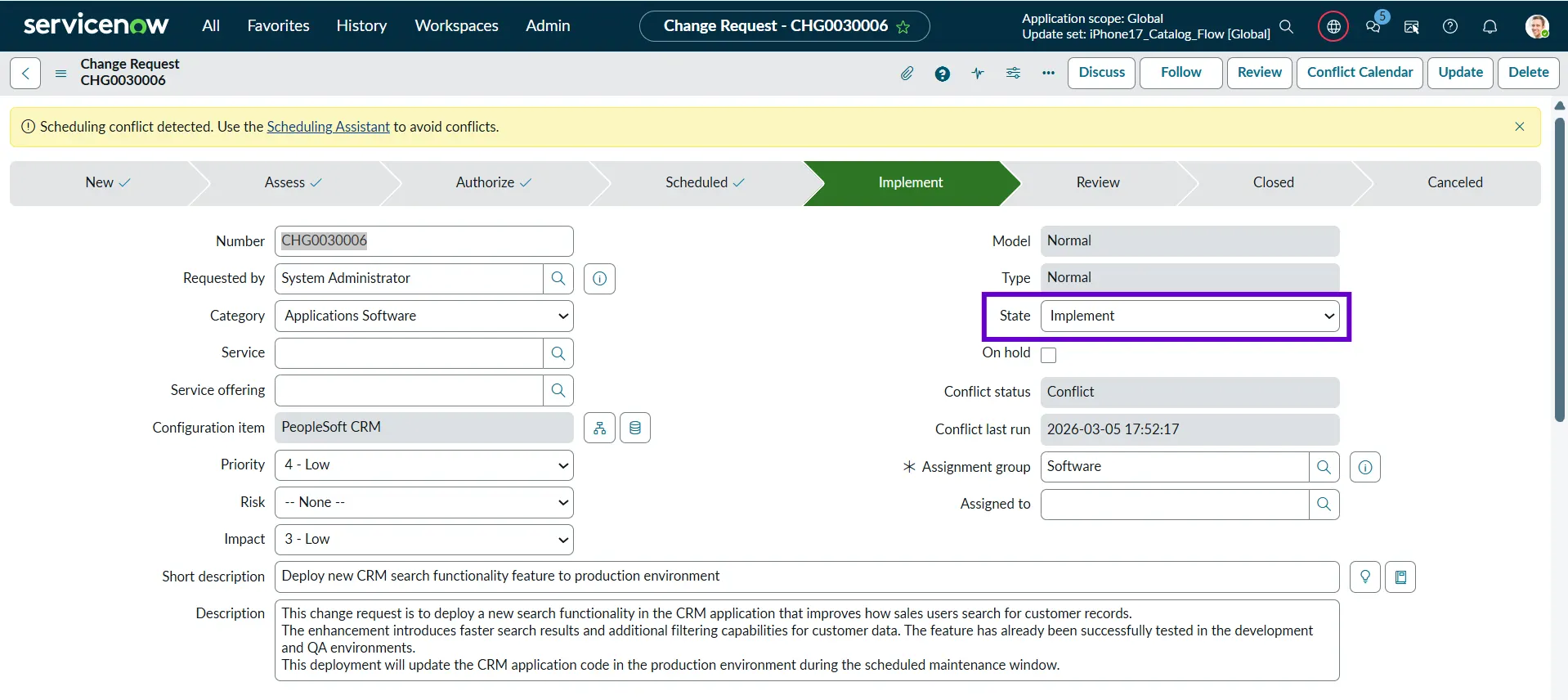
Implement
The Implement state is the phase where the approved and scheduled change is actually executed. Once the change reaches its planned start date and time, the deployment or implementation team begins carrying out the activities defined in the change plan.
Example: The DevOps team deploys the new CRM application code to the production environment during the scheduled maintenance window.
Review
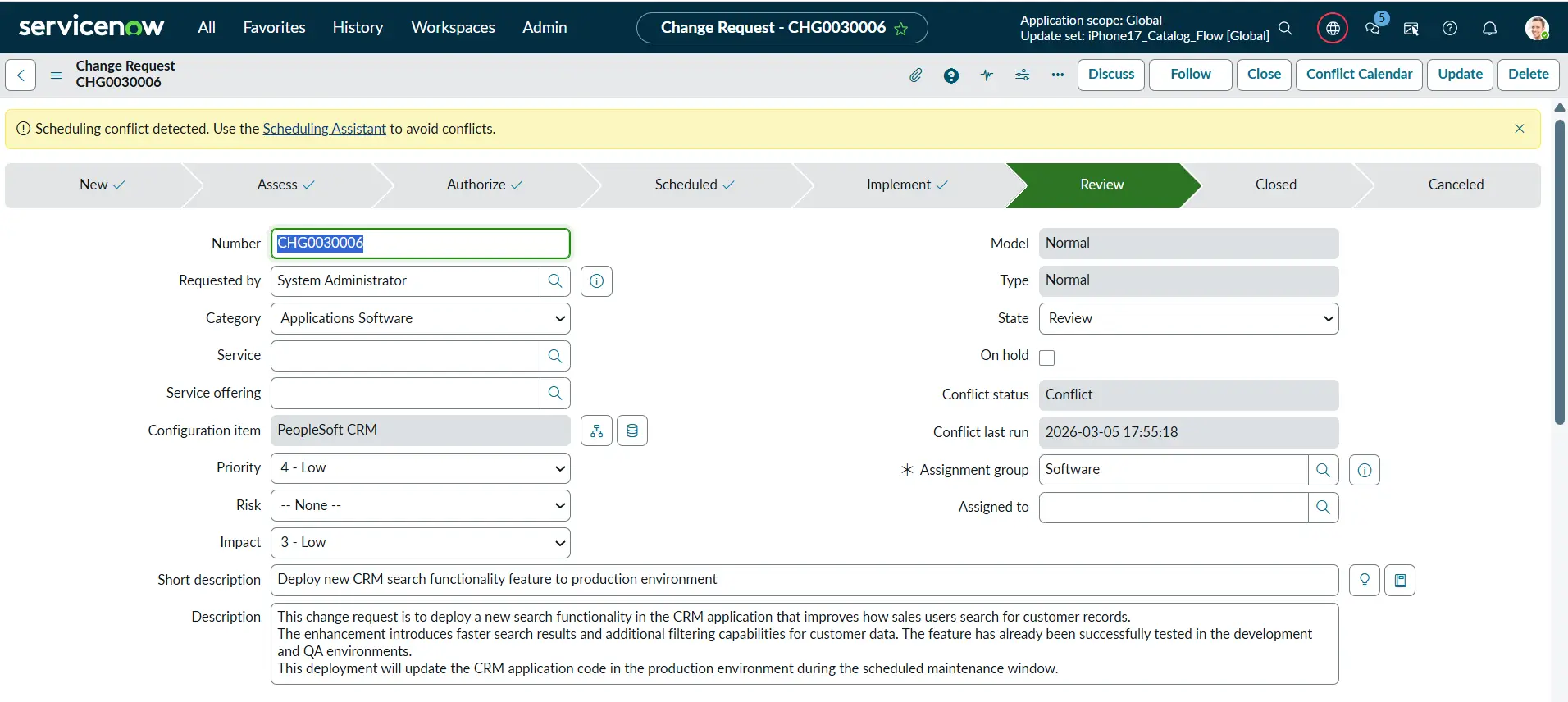
During the Review state, the changes have been deployed, and everything that was deployed will be reviewed by the stakeholders to determine whether all the newly implemented functionalities are working as expected or not. They might also check other related or existing functionalities or services and ensure that they are not affected by this Change. Once everything is reviewed, the Change can be closed.
Example: The team tests the new CRM search functionality and confirms that the application is working correctly without performance issues.
Closed
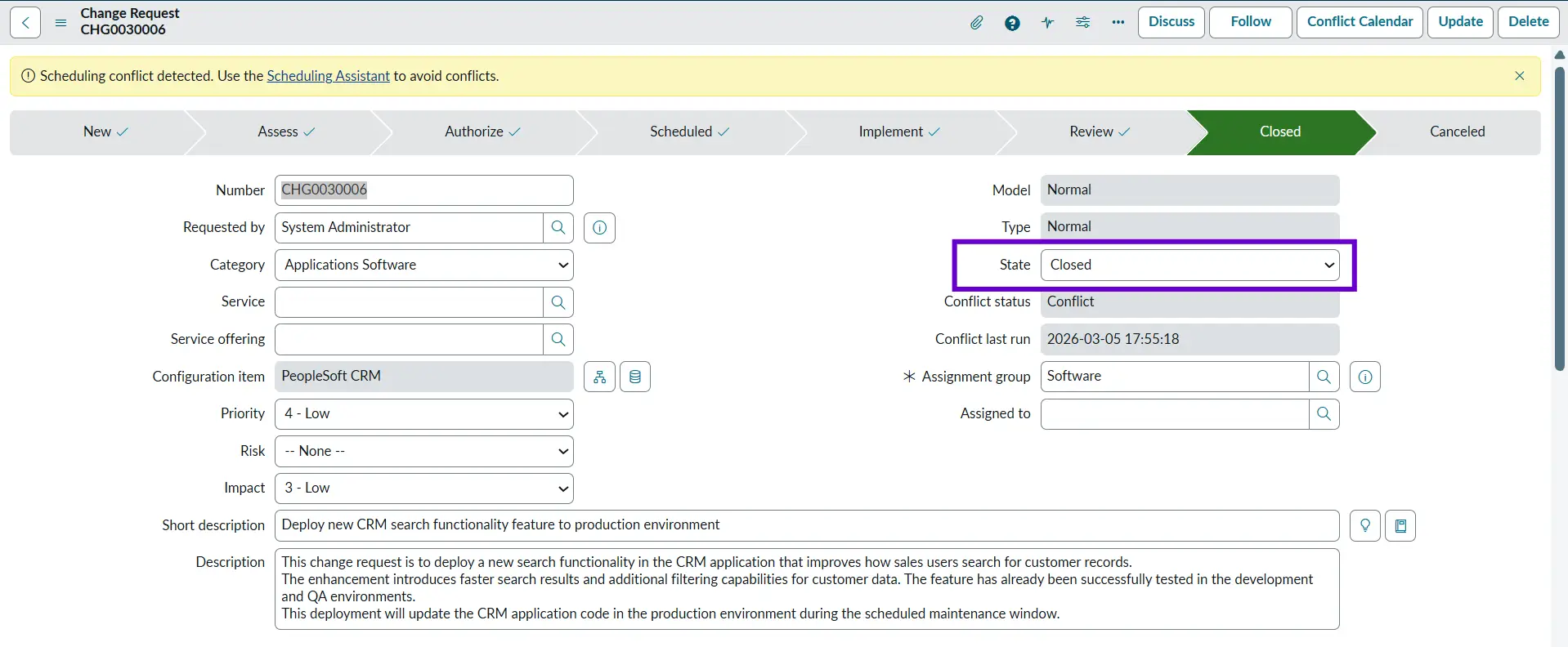
The Closed state represents the final stage of the Change Management lifecycle. A change moves to this state once all implementation activities, validations, and post‑deployment checks have been completed, and the change record has been fully updated. The Closed state serves as a formal confirmation that the change process was successful or not and has reached its conclusion.
Example: The change record is updated with the implementation results, confirming that the CRM deployment was successful and the new feature is working as expected.
Emergency Change
Emergency Changes are raised when there is a high-priority incident that must be resolved as soon as possible. The issue might be affecting a large number of users, or there is a huge financial loss involved. In other words, they are unplanned changes.
Example: If the Amazon website goes down due to an unplanned server outage, the support team will raise an Emergency Change to fix it, as there is a huge financial loss involved.
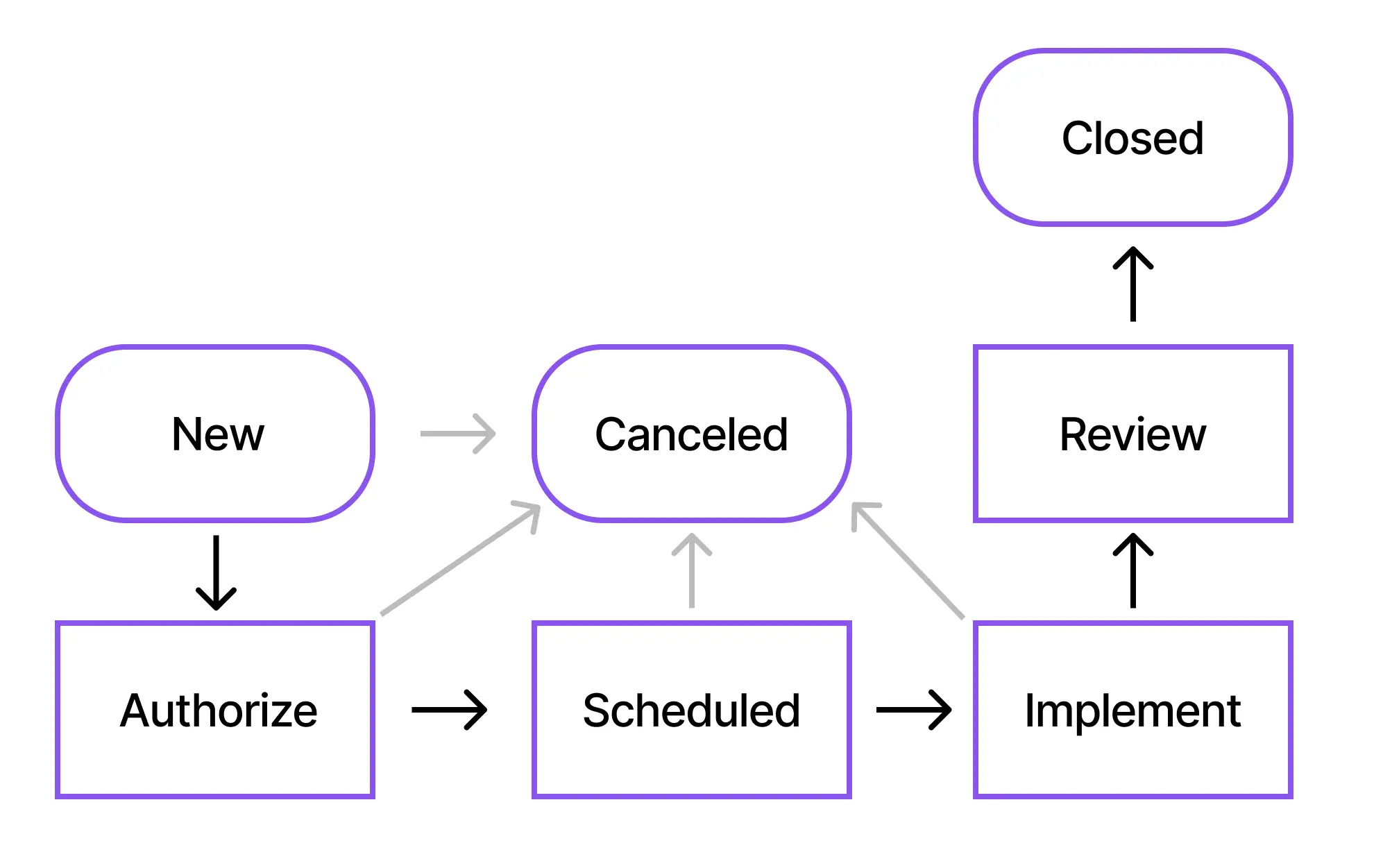
If we look closely at the flow diagram below, we don’t have an Assess state, which means we will not be assessing the emergency change and directly look for approvals from stakeholders, and then implement the change to expedite the process.

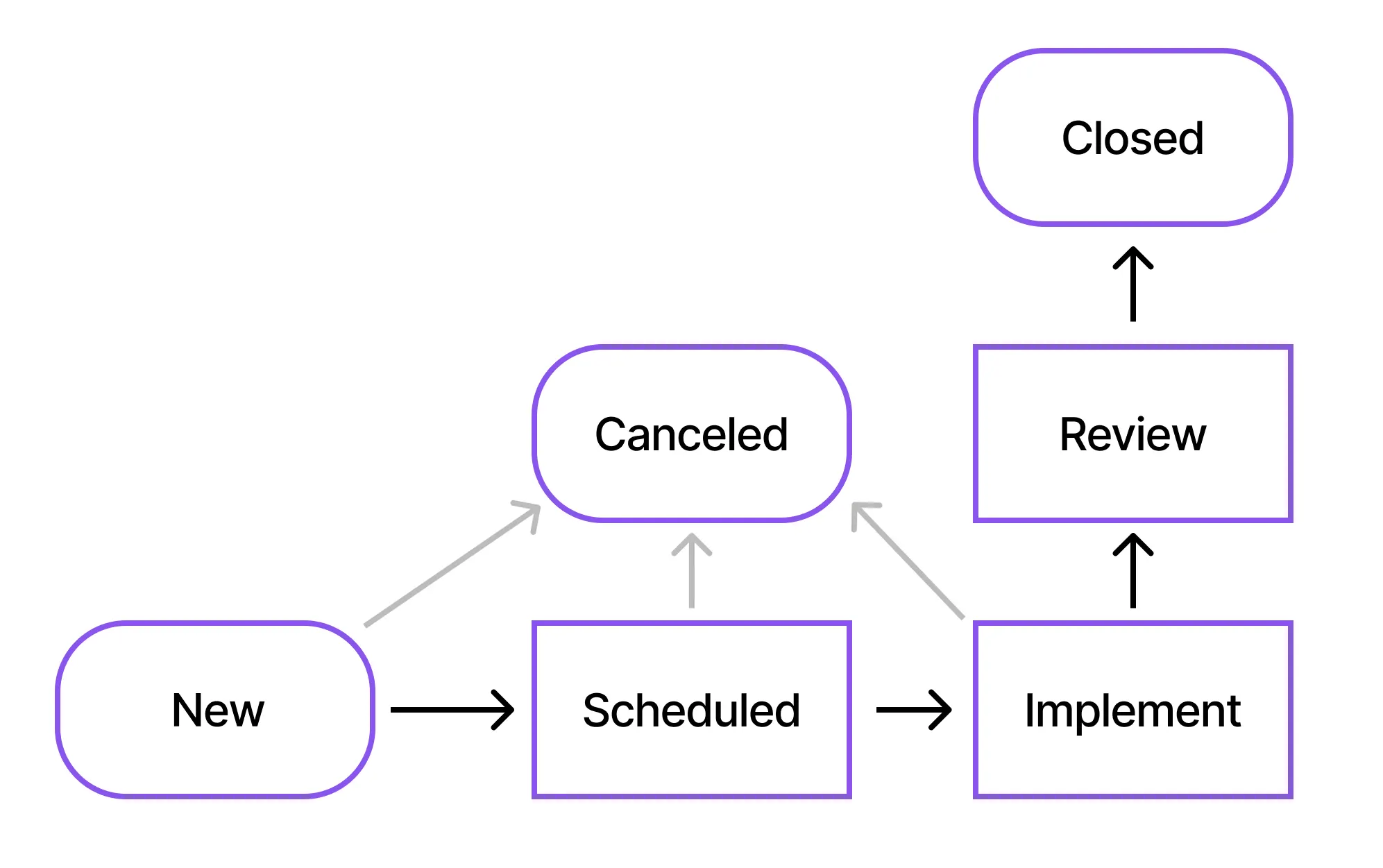
Standard Changes
These are the changes that are simple, recurring, have the same steps, are easy to implement, and don’t require any approvals. In other words, they are pre-approved and low-risk changes.
Example: Windows patching is a low-risk, recurring, and straightforward process, so it can be raised as a Standard Change.
Think of the above example. It can become cumbersome for the implementation team to take approvals for the same Windows patching again and again every week. So, that’s why we have Standard Changes to move things quickly for low-risk changes.
Relationship Between Incident, Problem, and Change
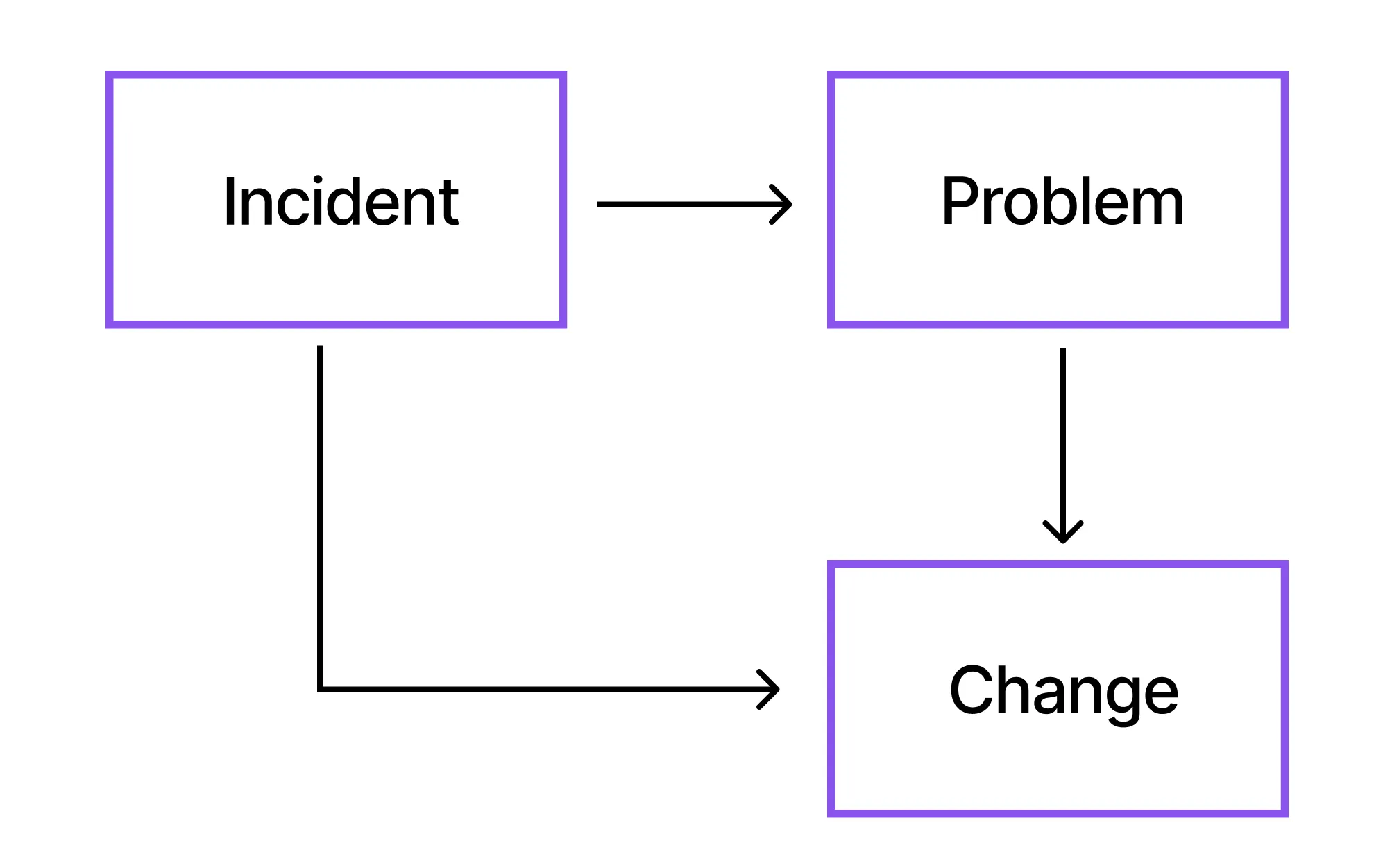
In ITSM, Incident, Problem, and Change move hand in hand. Understanding how they relate helps organizations resolve issues effectively and prevent them from recurring.
An Incident occurs when a service stops working or does not perform as expected. To resolve the incident, we generally raise a Change ticket to deploy the fix in the target environment.
A Problem is an underlying cause of repeated or major incidents that is not immediately clear. When we have identified a fix, a Change ticket is raised to fix the problem in the target environment.
Personal Experience with Change Management
In one of my previous roles, our team had to apply a critical security patch to production servers. Initially, some members wanted to deploy it immediately due to the urgency, but the Change Management process required us to create a Normal Change, document the steps, and present it in CAB.
During the CAB review, a network engineer highlighted a missing firewall rule dependency that we hadn’t considered. In testing, we also discovered a compatibility issue with a monitoring agent. Both issues would have caused a major outage if we had deployed without following the process.
Because the change was properly reviewed, tested, and scheduled, all teams were aligned and available during deployment. The patch was applied smoothly within the change window with zero downtime.
This experience showed our team that Change Management isn’t just paperwork – it protects the environment, improves coordination, and prevents avoidable failures. The change process might be time-consuming, but I am sure it’s worth it.
Best Practices for Change Management
- Always define a rollback plan, so that if a change fails for some reason, you can rollback your changes and restore the service to its previous version, and users are still able to use the services.
- Schedule changes during low-impact windows. This is important to minimize disruption to users and business operations. Performing changes when activity is low reduces the risk of service interruptions and ensures a smoother implementation.
- Communicate changes in advance so that the stakeholders and end users are aware of the upcoming change, affected services, and if there are any expected outages.
- Link changes to incidents and problems. This becomes really important because any other user can take a look at the change ticket and understand this change was raised to fix which incidents or problems. Also, we know which changes resolved specific issues and can prevent recurring incidents by addressing their root causes.
- Review failed changes to identify what went wrong and improve the process, ensuring that similar failures do not happen again.
Final Thoughts
Change Management is an essential discipline that ensures organizations can evolve and innovate without compromising the stability of their services. By following a structured process and capturing accurate details in the change ticket, assessing risks, obtaining required approvals, scheduling implementations responsibly, and reviewing outcomes, the teams can deliver changes safely and predictably.
A well‑defined Change Management framework not only minimizes the likelihood of service disruptions but also strengthens communication, coordination, and accountability across teams. Linking changes to incidents and problems allows organizations to understand the full lifecycle of an issue, from detection to resolution, and helps prevent recurring failures through permanent fixes. Scheduling changes during low‑impact periods further reduces risks and ensures smooth execution with minimal disruption to users.
Ultimately, embracing Change Management is not just about following a process – it’s about building a culture of reliability, transparency, and continuous improvement. When implemented effectively, it empowers teams to introduce new capabilities, resolve underlying issues, and enhance the overall quality of IT services, all while maintaining the trust and confidence of the business.